
































Discover apps that fit the way you work and live

Explore trusted app guides, practical insights, and helpful comparisons to find the right tools for your needs.

Search

AI tools

01

Assistants and intelligent utilities for writing, research, and everyday work.

App icon: Grammarly-AI Writing Assistant

Grammarly-AI Writing Assistant

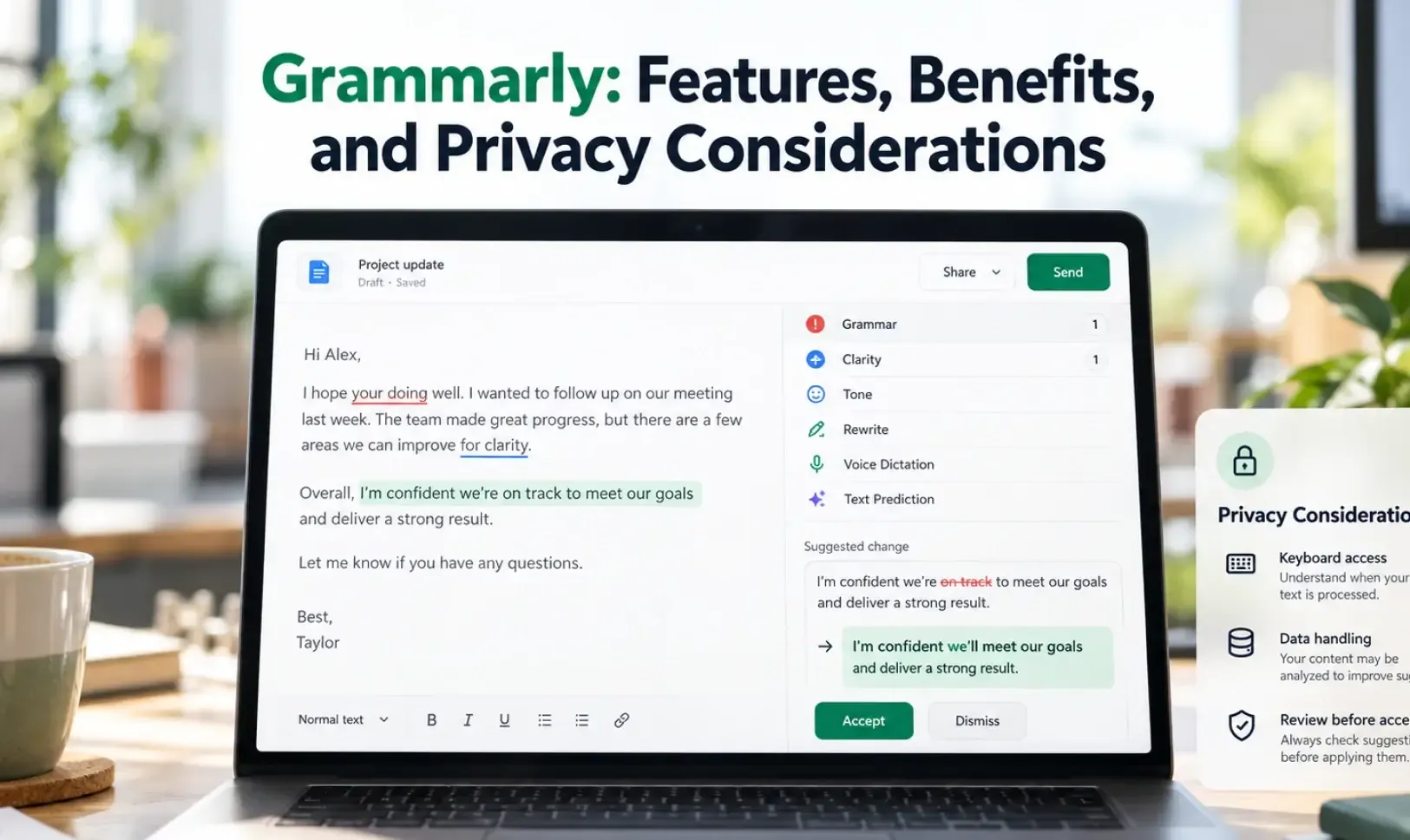
Edit and correct your grammar, spelling, punctuation, and more with your personal writing assistant, grammar checker, and editor. The Grammarly writing app and proofreader allows you to write clearly, confidently, and mistake-free in all your apps. Advanced features such as the AI-powered rewrite tool help you enhance your vocabulary, spell check words, and improve your writing - from emails to social media posts. Grammarly grammar checker and editor - how does it work? Simply download Grammarly and start typing in any app. Grammarly will check each word, your grammar, spelling, punctuation, and tone, and help you improve your communication skills. Whether you’re typing emails on the go, editing an important LinkedIn post, sending a text message, or composing an essential tweet, the Grammarly writing assistant and grammar checker lets you spell check, correct, edit and perfect your message from your mobile device with confidence. Leveraging the power of generative AI, Grammarly allows you to easily rewrite your messages by composing new versions for you to choose from. Simply select the rewrite option that makes your writing more descriptive, confident, formal - and much more! Grammarly works with any Android keyboard, such as Gboard or SwiftKey, so you’ll never have to switch keyboards when you need help writing that important email, text, or social post. Edit, spell check, and correct your writing in real time – Grammar checker: Know your grammar is always mistake-free. – Spelling checker and proofreader: Easily avoid common typos. – Advanced punctuation correction: Take the guesswork out of punctuation. Writing assistant and proofreader: Improve your communication skills – Receive short, clear explanations for every correction. – Understand your mistakes and avoid them in the future. Improve your writing through GenAI - Select your text and click “improve it” to see GenAI-created new versions - Choose versions to shorten, add more description, sound more confident, and more! *** Uplevel Your Communication Skills With Premium *** Take your writing and communication skills from good to great with our advanced features and suggestions. Grammarly Premium helps you strike the right tone, gives you real-time feedback, and helps you broaden your vocabulary by suggesting impactful, vivid words to help your message, social media post, or email come to life. Premium features include: ✓ Vocabulary enhancement ✓ Clarity improvements ✓ Tone adjustments ✓ Word choice ✓ Formality level ✓ Fluency **************** We designed the Grammarly mobile app to be a writing assistant that works anywhere you write—no copying or pasting required, no proofreader needed. For any inquiries regarding the deactivation of the Grammarly Keyboard for Android, please refer to this article: https://support.grammarly.com/hc/en-us/articles/25038364027661--The-Grammarly-Keyboard-for-Android-will-be-discontinued Grammarly always keeps your writing safe and private. See our User Trust Guidelines for details: https://www.grammarly.com/trust By installing Grammarly’s mobile app, you agree to Grammarly’s Terms and Conditions (www.grammarly.com/terms) and acknowledge that you have read Grammarly’s Privacy Policy (https://www.grammarly.com/privacy-policy). California residents, please see the California Privacy Notice (https://www.grammarly.com/privacy-policy#for-california-users). With your consent, Grammarly may collect data about app usage and device type. Accessibility permission is used to process text written in apps and provide you with tailored writing assistance. We also use this permission to turn Grammarly on when you’re typing in apps.

Ratings4.3Downloads: 1M+
View app detailsView app details: Grammarly-AI Writing Assistant
App icon: Liner - AI Search and Finance

Liner - AI Search and Finance

Liner is an AI assistant app that brings source-based AI search, AI chat, investment news analysis, and document and PDF summaries together into one app. It delivers reliable answers with sources drawn from the web and academic papers, and helps you understand how investment news may impact the stocks you follow. With the latest AI models like GPT-5, Gemini, and Claude, move quickly from AI chat and search to research and investment insights. [Source-based AI search] Search anything with AI chat, and Liner searches the web and academic papers to deliver key answers along with their sources. You can verify the evidence behind every answer, making it useful for everyday searches as well as assignments, market research, and professional research. - Get answers with links to original sources - Search and research by comparing multiple sources - Continue exploring with AI chat and follow-up questions - Draw on the latest information and academic materials together [Investment news and stock impact analysis] Ask Liner how the news you care about affect your stocks. It breaks down investment news and market information that potentially impact each stock, so you can explore investment insights faster. - Discover key investment news related to the stocks you follow - See how news may affect your stocks through AI chat - Check investment information across multiple sources - Support investment decisions with key investment information at a glance [The latest AI models in one app] Use the latest AI models like GPT-5, Gemini, and Claude for whatever you're working on. Experience the AI features you need for search, research, and document analysis, all in the Liner app. Liner scored 95.3% on OpenAI's SimpleQA benchmark and is used by more than 13 million users. Download Liner now and start with source-based AI search, investment news analysis, and document and PDF summaries. Liner Pro gives you access to chat with advanced AI models and more Deep Research. [Document and PDF summaries] Upload a file, and Liner quickly summarizes long documents and PDFs into key points. Ask questions about your documents and search the information you need, cutting down your reading time. - Summarize long documents and PDFs - Use AI chat to search your documents, ask questions, and find the information you need - Quickly find key information and main points - Support your understanding of assignments, work documents, and academic papers [Ask with photos] Take a photo of a problem, document, or object — or upload an image — and ask a question. Liner understands what's in the image and provides the explanations and answers you need. - Solve and explain problems in photos - Search documents and text in images - Translate and look up information - Explore and search more with AI chat and follow-up questions [YouTube video summaries] Get concise summaries of long YouTube videos. Jump straight to the sections you need with key points and timestamps, and ask follow-up questions based on the video. - Summarize video content with key takeaways - Find the sections you need with timestamps - Ask follow-up questions about the video with AI chat [Terms of Service] https://liner.com/term

Ratings4.0Downloads: 1M+
View app detailsView app details: Liner - AI Search and Finance
App icon: AI Chatbot - Nova

AI Chatbot - Nova

Bug fixes and performance improvements

Ratings3.8Downloads: 1M+
View app detailsView app details: AI Chatbot - Nova
App icon: Hailuo AI: AI Video Generator

Hailuo AI: AI Video Generator

MiniMax's AI video generator with text-to-video, image-to-video, and subject reference tools.

Ratings3.9Downloads: 10M+
View app detailsView app details: Hailuo AI: AI Video Generator
App icon: AI Video - AI Video Generator

AI Video - AI Video Generator

A generative video app that turns text and photos into short animated clips.

Ratings4.5Downloads: 10M+
View app detailsView app details: AI Video - AI Video Generator
App icon: Mileage Tracker & Log - MileIQ

Mileage Tracker & Log - MileIQ

MileIQ is an automatic mileage tracker built for business drivers, freelancers, and teams that need clean mileage logs and tax-friendly reports.

Ratings4.6Downloads: 1M+
View app detailsView app details: Mileage Tracker & Log - MileIQ
App icon: PixVerse: AI Video Generator

PixVerse: AI Video Generator

An AI video suite for turning photos, text, and clips into short social-ready videos.

Ratings4.5Downloads: 50M+
View app detailsView app details: PixVerse: AI Video Generator

Images and video

02

Creative apps for editing, capturing, designing, and sharing visual content.

Guides and insights

03

Useful comparisons, practical tips, and informed app recommendations.

File security and mobile tools

04

Utilities for storage, file management, privacy, and device maintenance.

Travel and navigation

05

Plan trips, find routes, and stay organized wherever you go.

App icon: Tripadvisor: Plan & Book Trips

Tripadvisor: Plan & Book Trips

While you’ve been out there planning and taking trips, we’ve been here, working to bring you the best version of the app yet. That means fixing bugs, adding new features, and generally making sure your trip is nothing but smooth sailing. Download the latest version if you haven’t already. Love the app? We’d love to hear it! Rate it to let us know how we’re doing.

Ratings4.5Downloads: 1M+
View app detailsView app details: Tripadvisor: Plan & Book Trips
App icon: Klook: Travel & Activities

Klook: Travel & Activities

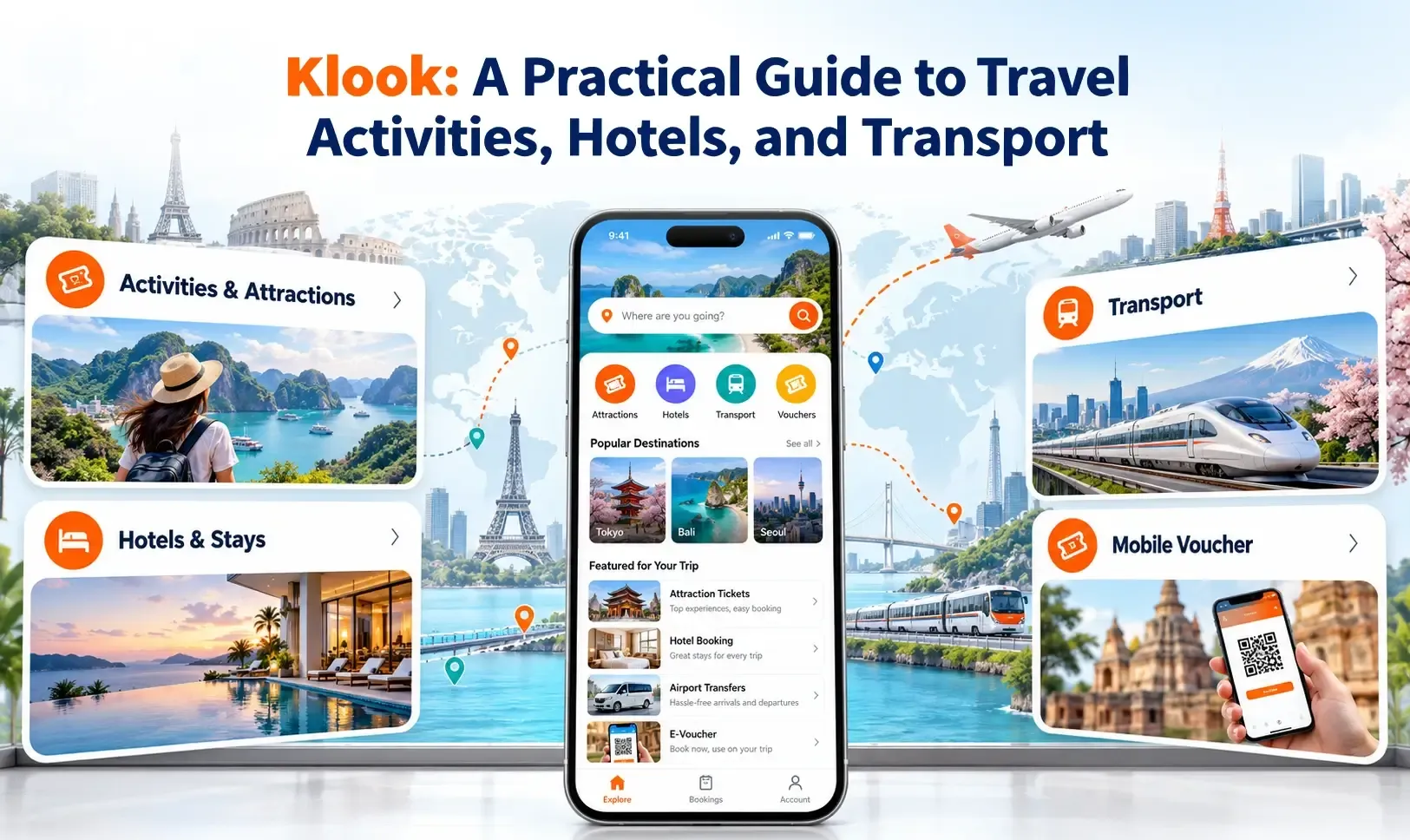
Download the Klook travel app to find deals for planning trips and booking hotel accommodation, local activities, car rentals, day tours and more best things to do anytime, anywhere. A World of Possibilities There are hundreds and thousands of activities across the world waiting for you on Klook. From sightseeing trips and hotel bookings to immersive cultural experiences, we’re here to guide you to your world of joy. Trusted & Top-rated Activities Explore handpicked experiences and get local insights for hundreds of destinations. Museums in Singapore? Tour packages in South Korea? Or some family attractions nearby? When you're on Klook, you're seeing the best of every place in your hands. Experiences Made Easy We make e-booking fast with instant confirmation and skip-the-line tickets on selected attractions. Whether it’s chasing waves on a Phuket vacation package, tasting wine in Melbourne or finding out what’s fun for the weekend in your area, you're just a few taps away from booking whatever makes you happy. Unlock Platinum on Klook Rewards for Exclusive Perks - Earn up to 5X more KlookCash - Get up to US$250 in coupons - Skip the line for priority customer support - Unlock free eSIM and coupons for Travel Essentials You can elevate your Klook experience to Platinum when you spend US$1,500 as a Klook Gold member. And a Whole Lot More - Budgeting when travelling? Use Klook-exclusive promo codes to save on the best deals - Redeem your tickets and e-vouchers or download them for easy offline access - Save your bucket-list holiday ideas to your wishlist and book later - Choose from trains, buses, cars, and even ferries to get around - Get movie and event ticket discounts and bundles Find us and say hello! - Official website: www.klook.com - Facebook: @klookglobal - Twitter: @klooktravel - Instagram: @klooktravel Got ideas for us? Let us know at appfeedback@klook.com. Thanks bestie.

Ratings4.6Downloads: 1M+
View app detailsView app details: Klook: Travel & Activities
App icon: OS Maps: Walk, Hike, Run, Bike

OS Maps: Walk, Hike, Run, Bike

Explore the outdoors the way you want, all while staying safe with OS Maps. Whether you want to hike, bike or run, OS Maps will guide you through amazing trails across the USA. Want to find new places in your local neighborhood? Or plan that next thru-hiking adventure? From breathtaking National Parks to easy walks along the coast, experience the thrill of finding a brand new trail that you never even knew existed with OS Maps. Why you’ll love using OS Maps: EXPLORE NEW PLACES, CREATE NEW ADVENTURES Plan unlimited trails with detailed, up to date maps across the country & discover that next great trail! Whether you love to hike, bike or run, there are multiple map layers to suit any place, any activity. TRAILS AT YOUR FINGERTIPS Search for the best trails in an area as rated by fellow outdoor enthusiasts or plot your own trail to follow, share & record. Use OS Maps as your go-to trail finder, fitness tracker & outdoor guide. VIEW & DOWNLOAD MAPS OFFLINE No cell reception? No problem. Download your favorite areas to save & view offline, so you can view your maps & chosen routes even without cell reception. Plus, you can export your favorite trails & routes to your GPX device. TRAIL MAPS TO SUIT ANY ACTIVITY Choose from multiple map layers, plan activities & find trails with detailed topographic mapping; or explore the landscape in stunning detail with aerial view. You can even see the world in 3D with 3D map layers. RECORD, REVIEW & RELIVE ACTIVITIES Use the activity tracking feature & activity history dashboard to track each & every adventure. Look back on past activities & review your stats. STAY SAFE ON THE TRAIL Stay the course with live GPS location tracking & never miss a turn with off-course alerts to keep you on track. Download trails, routes & maps & share with others, whether they’re joining you or want to make sure you stay safe. STAY INFORMED WITH COMMUNITY ALERTS Get real-time updates from other OS Maps users with Community Alerts. Whether it’s a trail closure or tricky terrain; you’ll stay in the know thanks to insights from the outdoor community. It’s like having thousands of trail buddies helping you plan smarter and stay safer. USE ON EVERY DEVICE Go from laptop to hilltop with ease! View, create & sync your routes & activities with a single account across multiple devices. Plan on desktop, follow & record your activities on mobile and Wear OS device. PLANNING MADE EASY Use OS Maps as your off-road GPS tracker with automatic ‘snap-to-path’ making route planning easy with the shortest distance between your waypoints plotted automatically. UNLIMITED PRINTING Print copies of trails & maps to take with you so you always have a backup to hand. USEFUL INFO $4.99 for monthly subscriptions & $28.99 for annual subscriptions. Battery life can be dramatically decreased by using GPS constantly. We release updates to all of our apps as we improve them, making them even more stable & adding extra features. Along the way, your feedback & comments about those apps are really important to us. If there’s an issue or something you’d like us to know, head to https://www.ordnancesurvey.co.uk/contact-us OS Maps offers either auto-renewing monthly or annual subscriptions to provide you with premium access to OS Maps while you maintain an active subscription. If you choose to purchase a premium subscription, your payment will be processed by Google. Subscriptions may be managed through the Google Play App after purchase. Subscriptions on Google Play are renewed automatically unless you unsubscribe at least 24-hours before the end of the current period. Your Google account will be charged for renewal no more than 24 hours before to the end of the current period. You may cancel a subscription at any time before the end of the applicable billing period by going to your Subscriptions list on the Google Play App.

Ratings3.9Downloads: 1M+
View app detailsView app details: OS Maps: Walk, Hike, Run, Bike
App icon: Waze Navigation & Live Traffic

Waze Navigation & Live Traffic

Waze is a live navigation app that uses crowd-sourced road reports to reroute drivers around traffic, hazards, and delays.

Ratings4.3Downloads: 500M+
View app detailsView app details: Waze Navigation & Live Traffic
App icon: GetYourGuide: Travel & Tickets

GetYourGuide: Travel & Tickets

GetYourGuide is a travel booking app for discovering and reserving tickets, tours, day trips, and activities around the world.

Ratings4.9Downloads: 10M+
View app detailsView app details: GetYourGuide: Travel & Tickets
App icon: Viator Tours & Attractions

Viator Tours & Attractions

Viator is a travel app for discovering and booking more than 300,000 tours, attractions, and experiences with flexible trip-management tools.

Ratings4.9Downloads: 5M+
View app detailsView app details: Viator Tours & Attractions
App icon: Fly Delta

Fly Delta

Delta's official Android companion for booking, trip management, and airport-day travel.

Ratings4.8Downloads: 10M+
View app detailsView app details: Fly Delta
App icon: United Airlines

United Airlines

United's official Android app for booking, check-in, boarding passes, and flight-day updates.

Ratings4.7Downloads: 10M+
View app detailsView app details: United Airlines

Shopping

06

Compare options, discover products, and manage purchases from your phone.

Find the Right Apps with Clear, Practical Information

Find the Right Apps with Clear, Practical Information

Finding a useful app can take more time than expected. App stores often provide short descriptions, promotional screenshots, ratings, and large numbers of user reviews, but this information does not always explain whether an app is suitable for a particular task. ToolOnline is an independent app discovery and information platform created to help users explore digital tools, understand their main features, compare similar options, and make more informed decisions before downloading an app or paying for a subscription.

Our growing library covers mobile and desktop applications across a wide range of everyday needs. These include AI assistants, productivity tools, photo and video editors, file-management utilities, mobile security apps, travel and navigation services, and shopping platforms. Instead of presenting every app in one long and confusing directory, ToolOnline organizes applications into clear sections based on their purpose and common use cases.

This structure helps users move from a general need, such as editing a photo, planning a trip, managing device storage, protecting private files, organizing work, or comparing shopping services, to a smaller and more relevant group of applications. Users can then review individual app information and explore related guides before deciding which option may be suitable for them.

Explore Apps by Task, Device, and Use Case

Explore Apps by Task, Device, and Use Case

Different users may expect very different things from the same type of app. A professional designer may focus on export quality, file formats, and advanced editing controls, while a casual user may care more about simplicity, speed, and whether the main features are available for free. A frequent traveler may need offline maps, public transport information, and live navigation, while another user may only need a straightforward route planner for an occasional trip.

ToolOnline helps explain these differences by describing what an app is designed to do, which types of users it may suit, and which devices or platforms it supports. Visitors can explore subjects such as AI tools, images and video, file security and mobile utilities, travel and navigation, business and finance, and shopping apps. Each section brings related applications together, making it easier to discover useful tools and compare options without starting a completely new search every time.

Our guides and comparison articles also introduce alternatives for different budgets, devices, skill levels, and everyday situations. Whether someone is looking for a simple free utility or a more advanced application with professional features, the aim is to provide a clearer starting point for the research process.

Understand an App Before You Install It

Understand an App Before You Install It

An app name, logo, rating, or promotional image rarely tells the complete story. Depending on the information available, ToolOnline app profiles may include an overview of the app’s main purpose, important features, supported devices, pricing model, free-version limitations, permissions, advantages, drawbacks, and similar alternatives.

We aim to present this information in a clear and readable format so that users can understand what a product offers before visiting the official app store or developer website. This can be particularly helpful when an app includes subscriptions, in-app purchases, advertisements, storage limits, account requirements, or features that are only available on specific operating systems.

App features, prices, download figures, compatibility requirements, and subscription plans may change over time. Users should therefore confirm the latest information on the official product page before installing an application, creating an account, or making a payment. ToolOnline does not replace official documentation, and we cannot guarantee that every feature, price, or service will remain available in future versions.

Compare Similar Apps with Practical Guides

Compare Similar Apps with Practical Guides

Many applications appear similar at first glance, especially in popular categories such as AI writing, photo editing, video creation, file management, mobile security, travel planning, and online shopping. Important differences often become visible only when the apps are used for real tasks.

These differences may include output quality, ease of use, advertisements, export limits, watermarks, account requirements, privacy settings, supported platforms, customer support, or the cost of unlocking advanced features. An app that works well for a beginner may not provide enough control for an experienced user, while a professional tool may be too complicated or expensive for someone who only needs a basic feature.

ToolOnline’s editorial guides explain these differences in practical terms. Rather than simply repeating product descriptions, we focus on questions users commonly consider before choosing an app. What problem does the app solve? Is the free version useful? Is it suitable for beginners? What are its main limitations? Does it require an account? Which alternatives may also be worth considering?

This approach helps users compare applications according to their actual needs, device, budget, experience level, and preferred workflow. It also makes it easier to understand why two apps in the same category may be suitable for different groups of people.

Independent Information for Better App Decisions

Independent Information for Better App Decisions

ToolOnline is an independent information platform. We are not the developer, publisher, or official representative of the third-party applications featured on this website. Product names, app icons, logos, screenshots, and trademarks belong to their respective owners.

Our role is to organize useful app information, explain important features, introduce relevant alternatives, and make the discovery process easier. Whether you are looking for an AI assistant, a photo editor, a file utility, a mobile security app, a navigation service, or a shopping platform, ToolOnline provides a practical place to begin your research.

Browse the available app sections, read individual app profiles, explore practical guides, and compare similar tools. Before downloading, subscribing, or making a purchase, visit the official app store or developer website to confirm the latest product details.

back to top