









Sophie Kim

Brave made article pages feel less cluttered on my older Android phone. I use private tabs and Brave Search often, and bookmark sync has been painless. A few sites need Shields turned down before forms behave correctly.

Brave is a privacy-focused Android browser that combines built-in ad blocking, tracking protection, search, VPN, and an AI assistant.
People who care about privacy and tracking protection in everyday browsing.
Built-in ad blocking
Freemium
Contains ads
Browsing works without an account; VPN and sync are optional features.
4.7/5
Brave is a privacy-focused Android browser that combines built-in ad blocking, tracking protection, search, VPN, and an AI assistant.
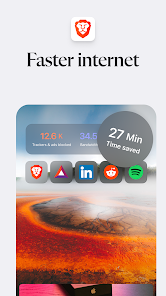
It is designed for people who want faster page loads and less tracking without installing separate add-ons for ad blocking or privacy protection.
Brave also offers paid services such as VPN and the optional Brave Origin variant, while the core privacy browser remains free.
 Core features
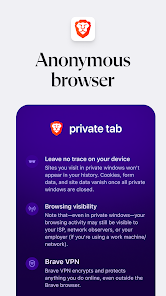
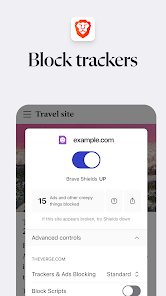
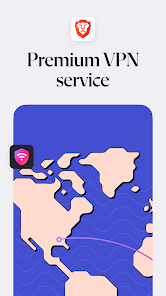
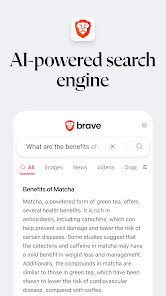
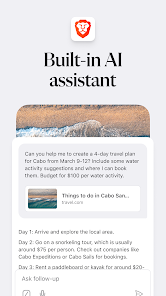
 Built-in ad blocking: Blocks many page ads and tracking elements without requiring an external extension.Brave Leo AI assistant: Adds an in-browser AI assistant for answering questions, translating text, and helping with quick tasks.Firewall and VPN: Offers privacy tools that help mask traffic and reduce exposure on public networks.Brave Search and private browsing: Pairs a private search engine with private tabs, night mode, and bookmark sync features.
 Pros and cons
 Pros
Pros Cons
ConsYes. The official site says Brave is free to use on Android, and the app listing supports that free core model.
Yes. Built-in Shields block many ads and cross-site trackers without a separate extension.
The listing says Brave supports Android 7 and above.
It is an optional paid version of the browser for users who want a stripped-down privacy-focused edition.


| App | Rating | Core feature | Pricing | Supported platforms |
|---|---|---|---|---|
| Brave Private Web Browser, VPN | ★ 4.7 | Built-in ad blocking | Freemium | Android |
| Speedtest by Ookla | ★ 4.6 | Classic speed test | Freemium | Android, iOS |
| PDF Viewer For Android | ★ 4.2 | Local PDF reading | Free; Google Play page unavailable | Android |
Brave is a strong free privacy browser with a wide feature set and optional paid extras.
Pick it if you want a faster, privacy-first browser with built-in ad blocking, search, and VPN tools, and you are okay with some sites needing exceptions.
Toolonline Editorial · 2026-07-23
How people use Brave Private Web Browser, VPN in everyday life

4 reviews
Brave made article pages feel less cluttered on my older Android phone. I use private tabs and Brave Search often, and bookmark sync has been painless. A few sites need Shields turned down before forms behave correctly.
The built-in ad blocking is the part I notice every day. I did not install extra extensions, which is exactly what I wanted on mobile. The VPN and AI assistant are visible enough that the browser can feel busier than a plain Chrome replacement.
Privacy controls are strong, but I ran into a shopping site where images and checkout pieces loaded strangely. Turning off blocking for that site fixed it. I still keep Brave around for news, search, and public Wi-Fi browsing.
Pages feel cleaner and faster, though a few sites need Shields disabled.
 Write a review