










Omar Hassan


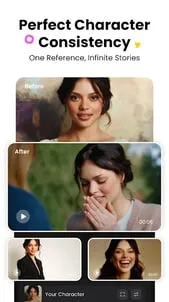
Using the same subject reference across three prompts kept the jacket and face more consistent than text alone. It was good enough for a storyboard preview.

MiniMax's AI video generator with text-to-video, image-to-video, and subject reference tools.
AI video testers who want to compare outputs from prompts.
Text-to-video
Freemium
No ads
Text, image, and subject references are processed online.
2.1/5
MiniMax's AI video generator with text-to-video, image-to-video, and subject reference tools.
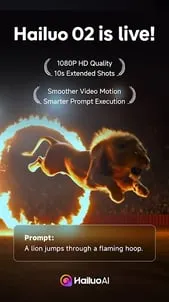
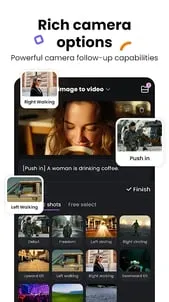
Hailuo AI is built around turning text or images into video, with subject reference support to help keep output more consistent. It is aimed at people who want an AI-first creation flow rather than a traditional editor.
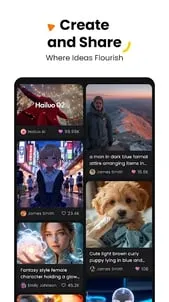
The app is most interesting when you want to test ideas, compare outputs, or generate short clips from a reference image. Like most freemium AI tools, the real value comes from how well the generator matches your prompt rather than from a large manual feature set.
 Core features
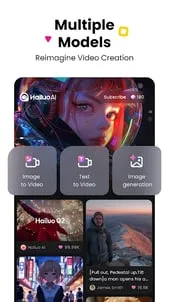
 Text-to-video: Generate motion-based clips from written prompts.Image-to-video: Turn still images into dynamic scenes.Subject reference: Keep a chosen subject more consistent across generated output.AI creation workflow: Use a simple mobile flow for quick generation experiments.
 Pros and cons
 Pros
Pros Cons
ConsIt generates video from text prompts or images and includes subject reference tools.
It is free on Google Play and also offers in-app purchases.
Yes, image-to-video is one of its main features.
It suits creators and experimenters who want an AI-first video generator on Android.
| App | Rating | Core feature | Pricing | Supported platforms |
|---|---|---|---|---|
| Hailuo AI: AI Video Generator | ★ 2.1 | Text-to-video | Freemium | Android |
| VSCO: Photo & Video Editor | ★ 3.6 | Presets and filters | Free; optional VSCO membership | Android |
| AI Video - AI Video Generator | ★ 4.5 | Text-to-video generation | Freemium | Android |
Hailuo AI is a focused AI video generator with prompt, image, and subject-reference support.
Best for users who want to test AI video ideas quickly and do not need a full editing suite.
Toolonline Editorial · 2026-07-23
How people use Hailuo AI: AI Video Generator in everyday life
7 reviews
Using the same subject reference across three prompts kept the jacket and face more consistent than text alone. It was good enough for a storyboard preview.
Text-to-video is easy to start with, but the output can drift from what I had in mind. It is better for testing concepts than for making a precise final cut.
I liked using image-to-video for mood-board material because I could feed it a reference and see a moving version. The simple mobile flow makes experimenting feel approachable.
Generation queues were the frustrating part for me. I liked the image-to-video result once it finished, but several attempts were needed to get usable motion.
The idea is interesting, but I got uneven results with cluttered reference pictures. If Hailuo AI had stronger manual cleanup tools after generation, I would use it more often.
Good for testing an idea before opening a real editor.
The results are cool, but the waiting time can be frustrating.
 Write a review