









Gemma Harris

I made a profile picture from a gallery photo in a couple of taps. The watercolor style looked softer than the hard pencil one, and sharing the saved image was straightforward. It is lightweight and easy to understand.

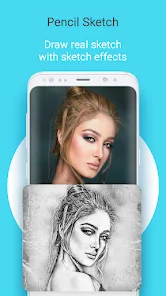
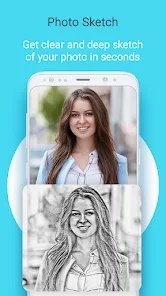
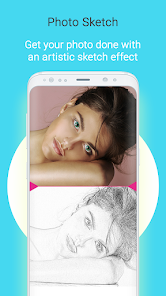
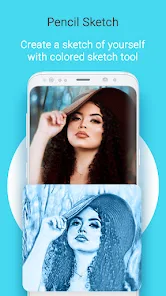
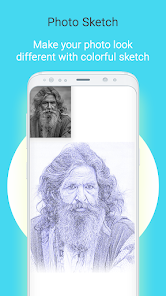
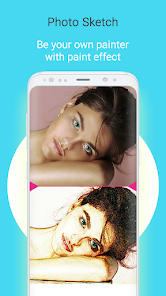
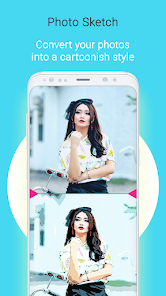
Photo Sketch Maker is a simple photo-to-sketch editor that turns camera or gallery images into pencil and watercolor-style drawings.
Casual users who want quick sketch effects for photos.
Photo to sketch conversion
Freemium
Contains ads
Sketch effects use a camera image or a photo selected from the gallery.
4.2/5
Photo Sketch Maker is a simple photo-to-sketch editor that turns camera or gallery images into pencil and watercolor-style drawings.
The app is aimed at casual users who want a quick artistic effect rather than a full photo editor with layers, masks, or advanced retouching tools.
Its core workflow is straightforward: choose a photo, apply a sketch style, adjust the result if needed, and save or share the finished image.
 Core features
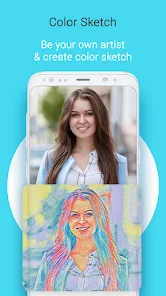
 Photo to sketch conversion: Transforms regular photos into sketch-style images with one tap.Multiple sketch styles: Includes pencil, watercolor, hard pencil, and color-pencil style effects.Basic crop and color control: Lets you crop source photos and adjust color choices before exporting.Save and share workflow: Supports saving finished sketches to the gallery or sharing them with others.
 Pros and cons
 Pros
Pros Cons
ConsThe listing highlights pencil, watercolor, hard-pencil, and color-pencil style results.
Yes. You can start from gallery images or take a new photo with the camera.
Yes. The workflow includes saving to the gallery and sharing with others.
No. It is mainly a sketch-effect app with simple crop and color adjustments.


| App | Rating | Core feature | Pricing | Supported platforms |
|---|---|---|---|---|
| Photo Sketch Maker | ★ 4.2 | Photo to sketch conversion | Freemium | Android |
| VSCO: Photo & Video Editor | ★ 3.6 | Presets and filters | Free; optional VSCO membership | Android |
| AI Video - AI Video Generator | ★ 4.5 | Text-to-video generation | Freemium | Android |
Photo Sketch Maker is a light, ad-supported effects app for quick artistic conversions rather than deep editing.
Pick it for simple sketch filters and casual sharing, but do not expect professional control or broad editing features.
Toolonline Editorial · 2026-07-23
How people use Photo Sketch Maker in everyday life

6 reviews
I made a profile picture from a gallery photo in a couple of taps. The watercolor style looked softer than the hard pencil one, and sharing the saved image was straightforward. It is lightweight and easy to understand.
The pencil filter turned a daylight photo of our house into a decent print for a moving card. Cropping out the sky first made the lines much cleaner.
Nice for casual posts, uneven for detailed faces. The pencil effect worked better on high-contrast photos, while busy backgrounds became messy. I would use it for playful edits, not serious photo work.
Photo Sketch Maker is fun for turning pet photos into pencil-style images. I usually crop first, try a color-pencil effect, then save the version that looks cleanest. Dark or blurry source photos do not convert as nicely.
Nice pencil effects for pet photos.
Good for social posts, not detailed editing.
 Write a review