










Tara Vasquez

I used it to mock up a few animated class intro clips from text prompts. It was easier than opening a full video editor, especially when I only needed a visual idea to share.

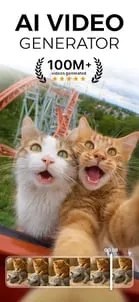
A generative video app that turns text and photos into short animated clips.
Creators who want to test AI video ideas quickly.
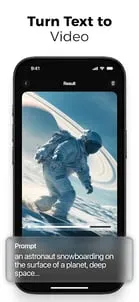
Text-to-video generation
Freemium
No ads
Text and photo prompts are processed online to create video.
4.3/5
A generative video app that turns text and photos into short animated clips.
AI Video is designed for quick AI video generation from prompts or photos rather than full manual editing. The listing positions it as a lightweight way to create short animated content from simple input.
Its audience is broad enough to include creators, marketers, educators, and casual users who want a fast way to test ideas. That makes it practical for experimentation, but less suited to people who need a deep editing timeline.
 Core features
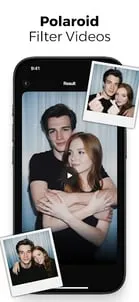
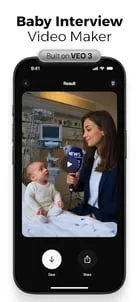
 Text-to-video generation: Turn a prompt into a short animated clip.Photo-to-video conversion: Use still images as the starting point for motion-based output.Creative AI effects: Generate expressive clips aimed at viral or social-friendly use cases.Simple export workflow: Move from idea to output without a heavy editing setup.
 Pros and cons
 Pros
Pros Cons
ConsIt generates short AI videos from text prompts or photos.
The listing is free on Google Play, but it also shows in-app purchases.
Yes, photo-to-video is part of the app's core workflow.
It is best for creators and casual users who want quick AI video experiments without a heavy editor.
| App | Rating | Core feature | Pricing | Supported platforms |
|---|---|---|---|---|
| AI Video - AI Video Generator | ★ 4.3 | Text-to-video generation | Freemium | Android |
| VSCO: Photo & Video Editor | ★ 3.6 | Presets and filters | Free; optional VSCO membership | Android |
| PixVerse: AI Video Generator | ★ 4.5 | Multiple input types | Freemium | Android |
AI Video is a prompt-driven generator for quick social-friendly animated clips.
Best as a fast AI video experiment tool, especially if you do not need deep manual editing.
Toolonline Editorial · 2026-07-23
How people use AI Video - AI Video Generator in everyday life

6 reviews
I used it to mock up a few animated class intro clips from text prompts. It was easier than opening a full video editor, especially when I only needed a visual idea to share.
I made a short animated birthday invitation from a photo and two lines of text. The first result was odd, but simplifying the prompt produced a clip I could actually send.
The app is good for experimenting with AI effects, but I had to try different wording before the clip matched what I pictured. Exporting simple ideas is smooth once the generated result looks right.
Faces changed too much between frames in my tests, especially with group photos. It is entertaining for effects, but I would not use it for a client video.
Fun app for quick clips, not something I would use for serious editing.
Good effects, but faces can look weird.
 Write a review