










Noah Carter


The idea is solid, especially for taxes or reimbursements, but the subscription angle showed up quickly for my use. I only drive for work sometimes, so manual tracking may be enough. Heavy drivers will get more out of it.
MileIQ is an automatic mileage tracker built for business drivers, freelancers, and teams that need clean mileage logs and tax-friendly reports.
Freelancers and self-employed drivers who need mileage logs.
Automatic GPS logging
Subscription
No ads
Automatic mileage logging relies on background location and motion activity.
4.6/5
MileIQ is an automatic mileage tracker built for business drivers, freelancers, and teams that need clean mileage logs and tax-friendly reports.
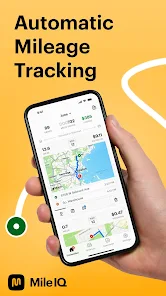
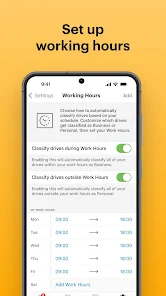
The app runs in the background, classifies trips, and turns raw drive history into mileage records that are easier to use for reimbursement or tax preparation.
The current pricing page makes the subscription model explicit: there is a limited free tier, but the unlimited plan is where the app becomes genuinely useful for people who drive often.
 Core features
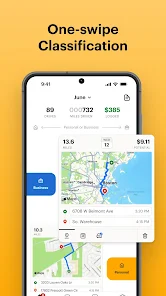
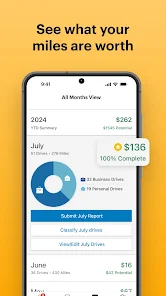
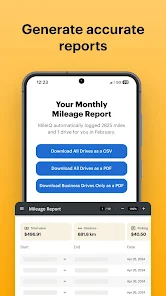
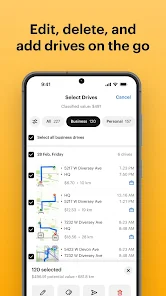
 Automatic GPS logging: Tracks drives in the background so you do not have to start and stop every trip manually.Swipe classification: Lets you classify trips as business or personal with a quick swipe workflow.Labels and notes: Adds custom labels and notes to make mileage records easier to audit later.Tax and reimbursement reports: Generates mileage reports that are designed for reimbursement, Schedule C, and other business-use cases.
 Pros and cons
 Pros
Pros Cons
ConsYes. The pricing page shows 40 free drives each month.
The pricing page lists unlimited mileage at $11.66 per month billed annually or $13.99 per month billed monthly.
It automatically logs drives and helps classify them as business or personal.
People who drive frequently for work or reimbursement usually benefit the most.




| App | Rating | Core feature | Pricing | Supported platforms |
|---|---|---|---|---|
| Mileage Tracker & Log - MileIQ | ★ 4.6 | Automatic GPS logging | Subscription | Android, iOS |
| Chat AI - AI Chatbot Assistant | ★ 4.5 | Natural chat | Freemium | Android |
| Google Gemini | ★ 4.6 | Gemini Live | Free; optional Google AI plan | Android |
MileIQ is a strong mileage-automation tool, but its best features live behind a subscription.
Choose it if mileage tracking matters to your taxes or reimbursements and you drive enough to justify the ongoing cost.
Toolonline Editorial · 2026-07-23
How people use Mileage Tracker & Log - MileIQ in everyday life
7 reviews
The idea is solid, especially for taxes or reimbursements, but the subscription angle showed up quickly for my use. I only drive for work sometimes, so manual tracking may be enough. Heavy drivers will get more out of it.
I log around forty work drives a month, and sorting them with left and right swipes is much faster than rebuilding the week from my calendar. Monthly reports have been clean so far.
MileIQ saved me from writing down client visits after every drive. The automatic GPS logging caught trips in the background, then I sorted business and personal drives later with swipes. I add notes for anything that might need explaining.
It missed one very short trip between nearby offices, but adding it manually was easy. I now review the drive list every Friday instead of waiting until month end.
The reports are clean enough for reimbursement records, and labels help when I visit several job sites in one day. The free plan is limited for someone who drives often, and background location access is something I keep an eye on.
Nice automatic tracking for work drives.
Good reports, but the subscription is too much for occasional use.
 Write a review