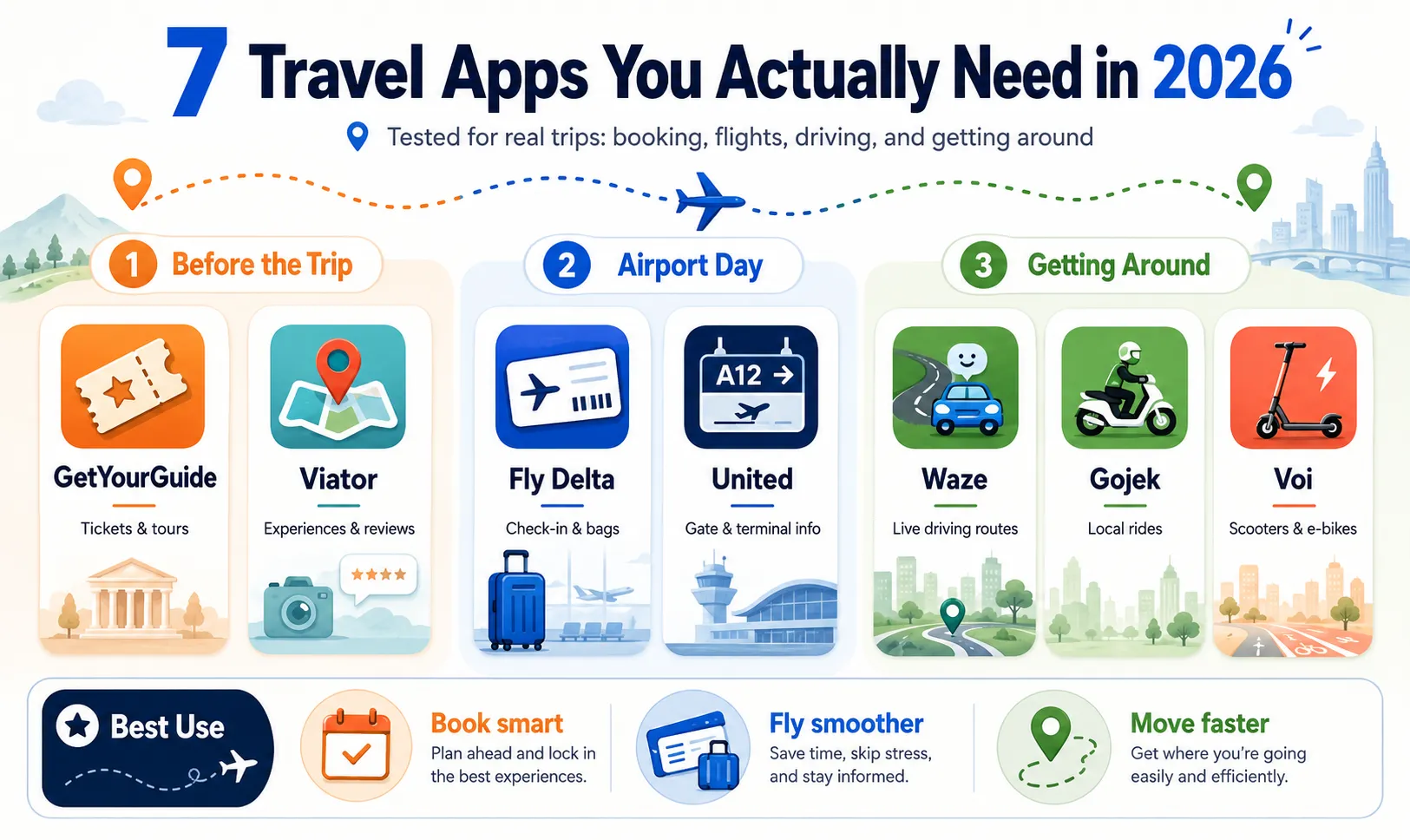
7 Travel and Navigation Apps Tested in 2026: What Smart Travelers Actually Need
A crowded travel-app folder does not automatically make a trip easier.
Before an international journey, it is tempting to download an app for every possible problem: attraction tickets, airport navigation, traffic, baggage tracking, ride-hailing, scooters, restaurant bookings, translation, and offline maps.
The problem usually appears after landing.
One app does not support the destination. Another requires a local phone number. A tour voucher cannot be opened without data. A scooter app shows vehicles nearby but no legal parking zone. Meanwhile, four different apps are sending notifications about the same flight.
For this guide, the ToolOnline editorial team evaluated seven popular travel and navigation apps through practical trip stages:
-
Booking attractions before departure
-
Accessing tickets without reliable mobile data
-
Responding to flight and gate changes
-
Tracking checked baggage
-
Driving through unfamiliar cities
-
Booking regional ground transportation
-
Covering short urban distances
We focused less on the number of advertised features and more on a simpler question:
Does the app remove a real travel problem at the moment you need it?
Quick Verdict
-
GetYourGuide offered the cleaner attraction-booking experience and convenient offline access to bookings.
-
Viator was useful when we wanted to compare a larger selection of similar tours and review booking conditions closely.
-
Waze was the strongest specialist for live driving conditions, but it should not replace a full walking, cycling, or public-transport map.
-
Fly Delta and the United app were more useful on travel days than generic flight trackers because they connected directly to check-in, boarding passes, baggage, and airport information.
-
Gojek was highly useful in Indonesia, but travelers should not assume the same services exist across Southeast Asia.
-
Voi was convenient for short, light urban trips in supported European cities—not for carrying luggage or replacing every form of public transport.
2026 Travel App Comparison
| App | Main purpose | Strongest use case | Main limitation | Editorial utility score |
|---|---|---|---|---|
| GetYourGuide | Attractions and activities | Simple mobile bookings and ticket access | Actual experience depends on the local supplier | 9.1/10 |
| Viator | Tours and local experiences | Comparing multiple operators and flexible booking options | Listing details and inclusions require careful reading | 8.9/10 |
| Waze | Live road navigation | Driving around congestion, closures, and reported hazards | No walking, cycling, or public-transit navigation | 8.8/10 |
| Fly Delta | Delta flight management | Check-in, airport maps, boarding and bag tracking | Primarily valuable when flying Delta | 9.0/10 |
| United | United flight management | Terminal guidance, baggage and day-of-travel updates | Primarily valuable when flying United | 9.0/10 |
| Gojek | Regional transport and delivery | Motorbike and car rides in Indonesia | Services differ significantly by country | 9.2/10 in Indonesia |
| Voi | Shared scooters and e-bikes | Short journeys in supported European cities | Availability, pricing and parking rules vary by city | 8.2/10 |
These scores represent workflow usefulness, not universal quality rankings. Availability, pricing, routing, vehicle supply and booking policies can change by city, date, account and app version.
How We Evaluated the Apps
A travel app should be tested at the point where failure would actually matter.
For booking platforms, we checked:
-
Clarity of cancellation terms
-
Whether entry fees were included
-
Mobile-ticket availability
-
Voucher access without an active connection
-
Meeting-point instructions
-
Supplier contact details
-
Number of steps required to change or cancel
For navigation and transport apps, we examined:
-
Pickup and destination accuracy
-
Route clarity
-
Re-routing behavior
-
Estimated arrival times
-
Location permissions
-
Battery use during active navigation
-
Local service availability
-
Payment options
-
Parking or destination restrictions
For airline apps, we focused on:
-
Check-in
-
Boarding-pass access
-
Gate and terminal information
-
Baggage status
-
Same-day flight changes
-
Airport navigation
-
Notification usefulness
Our Test Scenario
We evaluated a timed-entry attraction booking with:
-
Several entry times
-
Adult and child ticket options
-
A mobile voucher
-
A designated meeting point
-
A cancellation deadline
The objective was not simply to complete the payment. We wanted to see whether a traveler could understand what to do after arriving at the attraction.
What Worked Well
The mobile experience made the essential information relatively easy to find:
-
Booking date and time
-
Number of travelers
-
Voucher or QR code
-
Cancellation conditions
-
Meeting instructions
-
Activity-provider details
Offline access was particularly valuable. Travelers should still save a screenshot or PDF backup, but being able to reach booking information without relying entirely on roaming data reduced one common source of stress.
Cancellation and Refund Reality
GetYourGuide says most activities include cancellation up to 24 hours before the activity, but the exact policy is determined by the individual booking. Some listings can be partially refundable or non-refundable.
When an eligible cancellation is processed, GetYourGuide says the refund is returned to the original payment method and may take approximately three to five business days to appear. (GetYourGuide)
That means “free cancellation” does not necessarily mean the money appears immediately.
What Travelers Still Need to Check
A polished platform does not guarantee that every activity is equally well operated.
Before booking, review:
-
Whether the ticket includes attraction admission
-
Whether “skip the line” skips security or only the ticket counter
-
The exact meeting point
-
Tour language
-
Accessibility
-
Required identification
-
Late-arrival policy
-
Who actually operates the activity
Verdict
GetYourGuide is best for travelers who value a clear mobile interface and straightforward access to booking details.
It is particularly useful for timed attractions, museum tickets and short city activities where you need to retrieve a voucher quickly.
2. Viator: Best for Comparing More Variations of the Same Experience
Viator was more useful when the destination offered many similar tours and we wanted to compare operators, schedules, inclusions and traveler feedback.
The platform currently promotes free cancellation on most experiences, 24/7 support, traveler reviews and a Reserve Now & Pay Later option on eligible listings. (Viator)
Our Test Scenario
We compared several tours in the same destination that appeared similar at first glance but differed in:
-
Hotel pickup
-
Attraction admission
-
Meal inclusion
-
Tour duration
-
Group size
-
Cancellation terms
-
Payment timing
What Worked Well
The larger set of listings made Viator useful for travelers with specific requirements.
For example, one person may want the cheapest transport-only option, while another needs hotel pickup, included admission and a smaller group.
The reviews and traveler photographs can also reveal details that polished supplier images do not show, such as vehicle size, meal portions, queue conditions or the actual walking distance.
Reserve Now & Pay Later
On eligible products, Viator allows a traveler to confirm the reservation before the card is charged. Viator’s current information says the payment may be collected shortly before the activity rather than at the moment of booking. (Viator Partner Resource Center)
However:
-
It is not offered on every activity.
-
The cancellation policy still needs to be checked separately.
-
A failed payment method may cause the booking to be canceled.
-
Travelers should confirm the scheduled payment date rather than assuming “pay later” means payment after the experience.
Where Viator Required More Attention
A large inventory creates more comparison work.
Two listings may use nearly identical titles while offering different:
-
Entry tickets
-
Pickup zones
-
Guide languages
-
Cancellation policies
-
Additional fees
-
Group sizes
-
Return locations
Viator’s technical documentation recognizes standard, custom and non-refundable cancellation policies, so travelers should not assume every product follows the same 24-hour rule. (docs.viator.com)
Verdict
Viator is strongest when selection matters more than simplicity.
Use it to compare several operators, but read the inclusions and cancellation policy on the individual listing—not just the search-result card.
GetYourGuide vs. Viator: Which One Should You Use?
Do not choose based only on which platform has the lower displayed price.
Compare the exact same experience using:
| Check | Why it matters |
|---|---|
| Operator name | The same operator may list on both platforms |
| Included admission | A cheap tour may exclude the main ticket |
| Cancellation deadline | Similar listings can have different terms |
| Group size | “Small group” may still mean 15–20 people |
| Meeting point | A central pickup can be worth paying more for |
| Review recency | Older reviews may not reflect the current operator |
| Final checkout price | Taxes, fees or currency conversion may change the total |
A sensible approach is to search both platforms, then choose the listing with the clearest conditions—not automatically the largest discount.
3. Waze: Best for Drivers, Not for Every Type of Navigation
Waze remains a specialist.
It is designed around drivers sharing live road information, including traffic, crashes, construction, police reports and hazards such as potholes. (App Store)
Our Test Scenario
We compared an original route with the alternatives suggested after congestion increased.
We paid attention to:
-
How quickly the ETA changed
-
Whether the alternative route was understandable
-
The number of difficult turns
-
Road restrictions
-
Arrival-side accuracy
-
Whether the suggested time saving justified the route
What Worked Well
Waze’s biggest advantage was situational awareness.
It was useful for detecting that a route had changed after departure, rather than simply calculating the best route once at the beginning.
Community reports also helped explain why traffic was slowing. Knowing that the cause was a crash, construction zone or stopped vehicle was more useful than seeing a red road without context.
Do Not Follow Every Shortcut Blindly
An algorithmically faster route may be worse for a traveler.
A minor time saving can involve:
-
Narrow residential roads
-
Multiple difficult turns
-
Unprotected intersections
-
Toll roads
-
Roads that are uncomfortable at night
-
A complicated final approach
The driver remains responsible for checking signs, restrictions and road conditions.
Waze Is Not an All-Purpose Map
Waze officially describes itself as navigation for private cars, taxis and motorcycles. It does not support public-transit lanes, bicycles or truck routing.
For a trip involving walking, trains, buses and driving, travelers still need a broader map or local transit app.
Battery Use
Avoid publishing a fixed claim such as “Waze consumes 30% more battery” unless you measured it under identical conditions.
GPS navigation, screen brightness, mobile signal, temperature and background apps all influence battery use. A realistic article should report:
Start battery:
End battery:
Navigation duration:
Screen brightness:
Phone model:
Connection type:
Verdict
Waze is worth installing for a rental-car trip or regular driving in a busy city.
It should complement—not replace—offline maps, public-transit directions and basic route judgment.
4. Fly Delta: Best for Delta Travel Days
An airline’s own app becomes most valuable when something changes.
Fly Delta supports booking, check-in, mobile boarding passes, interactive airport maps and baggage tracking.
Our Test Scenario
We evaluated whether the app could answer the questions a traveler usually asks on departure day:
-
Am I checked in?
-
Has the gate changed?
-
Where is the gate?
-
Was my checked bag scanned?
-
Can I change my seat?
-
Where is the relevant airport facility?
What Worked Well
The app reduced the need to search confirmation emails or repeatedly enter a flight number into another service.
Interactive airport maps were especially useful during tight connections, while bag status added reassurance after checking luggage.
Delta also offers checked-bag tracking through bag-tag, confirmation or file-reference information.
Limitations
A scanned-bag update is not a guarantee that the bag will arrive exactly when expected.
Status can be delayed, and baggage problems may still require contact with airport staff or the airline’s baggage service office.
Airport-map quality and available services also differ by airport.
Verdict
Install Fly Delta shortly before a Delta-operated trip, log in and add the reservation before arriving at the airport.
There is little reason to keep it actively notifying you throughout the year when you are not flying Delta.
5. United App: Best for United Check-In, Terminal Guidance and Bags
The United app follows the same principle: airline-specific integration is more useful than a generic tracker when you need to take action.
United says its app supports check-in, boarding passes, advance bag payment and a terminal guide. It also provides in-app baggage tracking at supported airports. (united.com)
What Worked Well
The terminal guide was more actionable than a simple flight-status screen.
Instead of only telling the traveler that the flight departed from a particular gate, the app could help locate that gate within the airport environment.
United also provides interactive terminal and airport maps through its app. (united.com)
What Still Needed Verification
Travelers should confirm:
-
Whether the flight is operated by United or a partner
-
Which terminal applies
-
Whether baggage tracking is available at the relevant airport
-
Whether a gate update is final
-
Whether the boarding pass is available offline
For international journeys, keep the passport and required documents accessible even when the app says check-in is complete.
Verdict
The United app earns its place during a United itinerary because it combines information with actions.
Generic flight trackers are useful for watching an aircraft. Airline apps are better when you need to check in, manage baggage or change the reservation.
6. Gojek: A Regional Powerhouse—Mainly When You Understand the Region
The original version of this article described Gojek as operating broadly across Indonesia, Thailand and Vietnam. That is not an accurate recommendation for 2026.
Gojek’s broad “super-app” experience is centered on Indonesia, where the app currently promotes motorcycle rides, car rides, food delivery, package delivery, shopping and payments. (Gojek)
In Singapore, Gojek mainly provides ride-hailing products, including several GoCar and taxi options. (Gojek)
Our Indonesia Test Scenario
We compared:
-
A car ride
-
A motorcycle ride
-
The estimated journey time
-
Pickup accuracy
-
Available payment methods
-
Driver communication
-
Price changes during demand peaks
Why GoRide Can Be Useful
In dense Indonesian traffic, motorcycle taxis can reach locations that are slow or awkward by car.
The greatest benefit was not luxury. It was flexibility for short, time-sensitive journeys.
However, travelers should consider:
-
Helmet availability and condition
-
Rain
-
Clothing
-
Luggage
-
Passenger comfort
-
Road risk
-
Insurance terms
-
Local traffic conditions
A motorcycle is not the right choice for every traveler merely because the ETA is shorter.
Why “Super-App” Needs Context
Indonesian users can access a much broader set of Gojek services than visitors using the Singapore version.
Travel articles should therefore avoid saying:
Install Gojek anywhere in Southeast Asia.
A more accurate recommendation is:
Check the official destination-specific Gojek service page before traveling.
Verdict
Gojek is one of the most useful apps to prepare before a trip to Indonesia.
For Singapore, it is better described as one ride-hailing option to compare with local alternatives—not an all-in-one food, payment and transport solution identical to the Indonesian app.
7. Voi: Useful for Short European Trips, but Not a Luggage Solution
Voi provides shared electric scooters and e-bikes in supported locations. Availability varies by city, and the company reports operating across more than 130 towns and cities in 13 countries during 2026. (voi.com)
Our Test Scenario
We evaluated a short urban journey that was:
-
Too far to walk comfortably
-
Too short to justify a taxi
-
Poorly connected by direct transit
-
Within a legal Voi operating zone
What Worked Well
The app made locating, unlocking and ending a ride straightforward when vehicles were available.
For a light traveler, an e-bike or scooter could fill the awkward gap between walking and public transit.
The Real Friction Happens at the End
Before starting, inspect:
-
The destination’s permitted parking area
-
No-ride and slow-speed zones
-
Local helmet rules
-
The vehicle’s brakes and tires
-
Battery level
-
Whether the destination is uphill
-
Whether the ride can legally end there
A vehicle being available at the starting point does not guarantee there will be a valid parking location at the destination.
Do Not Recommend Scooters for Heavy Luggage
The original article suggested using Voi while navigating transport stairs with heavy luggage.
That should be removed.
Shared scooters and bikes are better for:
-
A small backpack
-
Short daytime journeys
-
Dry weather
-
Familiar, permitted roads
They are a poor option for:
-
Suitcases
-
Multiple bags
-
Intoxicated riders
-
Icy or heavily wet roads
-
Unfamiliar high-speed traffic
-
Travelers who are not confident balancing
Verdict
Voi is useful as a last-mile option, not a complete transit replacement.
Check city availability and parking rules before assuming it belongs in every European travel folder.
The Best Travel App Folder Is Built by Trip Phase
Instead of downloading every app permanently, organize them according to when they become useful.
Before the Trip
Use:
-
GetYourGuide for straightforward mobile attraction bookings
-
Viator when comparing more operators or flexible payment options
-
The relevant airline app for check-in and reservation management
Download or save:
-
Tickets
-
Vouchers
-
Meeting-point maps
-
Hotel address
-
Insurance documents
-
Passport copies
-
Local emergency information
Airport and Flight Day
Prioritize:
-
Fly Delta or United
-
A general map
-
Your airline confirmation
-
Offline boarding-pass access
-
Airport Wi-Fi or eSIM setup
Do not depend on push notifications alone. Screens and airport announcements remain important.
Driving Days
Use:
-
Waze for live driving conditions
-
A broader map for destination research and offline coverage
-
The rental company’s instructions for tolls, fuel and restricted zones
Review the full route before moving instead of judging every re-route while driving.
On-the-Ground Mobility
Install only the apps relevant to the destination:
-
Gojek for Indonesia
-
Voi where supported and appropriate
-
Local railway, metro, taxi or bike-share apps
A regional transport app can be excellent in one city and useless in the next.
A Practical Five-Minute App Check Before Departure
Open every important app before leaving home and confirm:
-
You can sign in.
-
Your phone number works abroad.
-
The payment card is accepted.
-
Tickets are available offline.
-
Location permission is enabled only where needed.
-
Notifications are not blocked.
-
The app supports the destination.
-
The latest version is installed.
-
You have a backup screenshot.
-
You know what to do if the app fails.
This check is often more useful than installing another five travel apps.
Limitations of Our Tests
Travel-app results are unusually location-dependent.
A ride-hailing app may find a driver immediately in one neighborhood and fail ten minutes away. Waze routing quality depends on map data and active reports. Tour inventory changes by date and supplier. Scooter availability can change within minutes.
Our findings should therefore not be interpreted as guarantees about:
-
Journey times
-
Ticket availability
-
Refund timing
-
Driver supply
-
Tour quality
-
Baggage delivery
-
Battery consumption
-
Prices
-
Local legality
Exact performance depends on the city, time, device, account, network and individual supplier.
We also did not assume that a successful booking meant the experience itself was good. Where possible, platform usability and local-operator quality should be evaluated separately.
Final Verdict
The best travel apps in 2026 are not necessarily the ones with the most global branding.
They are the ones that match a specific stage of your trip.
GetYourGuide offered the cleanest attraction-booking workflow.
Viator was stronger for comparing a wider range of experience options and payment conditions.
Waze remained valuable for active drivers but was too specialized to serve as the only map.
Fly Delta and United were essential only when flying the corresponding airline—which is exactly why they worked so well.
Gojek was a genuine travel essential in Indonesia, but its services should not be generalized across all of Southeast Asia.
Voi solved short last-mile journeys in supported cities, provided the rider had little luggage and understood the local parking rules.
A smart traveler does not install every available app.
A smart traveler installs the right app before the moment it becomes necessary—and keeps a backup for when it does not work.
Frequently Asked Questions
Is GetYourGuide better than Viator?
GetYourGuide had the cleaner mobile workflow in our comparison. Viator was more useful when comparing a larger number of similar experiences. The better choice depends on the individual operator, price, inclusions and cancellation policy.
Are GetYourGuide and Viator tour operators?
They are booking platforms that list experiences supplied by local operators. Travelers should check the operator name and listing conditions before purchasing.
Does Waze support public transport?
No. Waze is designed for private cars, taxis and motorcycles. It does not provide standard public-transit, bicycle or truck navigation. (Google 支持)
Can Waze guarantee a faster route?
No. It can suggest alternatives based on available traffic information, but road conditions can change and a technically faster route may be less comfortable or more complicated.
Should I install my airline’s app?
Yes, particularly shortly before departure. Airline apps can provide check-in, boarding passes, gate information, baggage status and trip-management options that generic trackers cannot.
Is Gojek available throughout Southeast Asia?
Do not assume so. Its broad super-app service is primarily associated with Indonesia, while its Singapore service focuses mainly on ride-hailing. Check the official destination-specific service before departure. (Gojek)
Is Voi suitable for airport luggage?
No. Shared scooters and bikes are better for short trips with minimal luggage. Use public transport, a taxi or an appropriate ride-hailing vehicle when carrying suitcases.