PDF Viewer For Android

PDF Viewer For Android

A focused Android PDF reader for opening, organizing, and viewing local documents, including a floating-window mode for multitasking.

Android Version: 1.0.1 Size: 46 MB Last updated: 2025-01-01

Who this app is for

People who only need to open local PDF files.

Core feature

Local PDF reading

Pricing

Free

Ads

Contains ads

Local documents

The reader opens PDFs stored on the device without requiring an account.

Google Play rating

4.2/5

App introduction

A focused Android PDF reader for opening, organizing, and viewing local documents, including a floating-window mode for multitasking.

PDF Viewer For Android focuses on quick access to PDF files stored on the phone. Its simple document library is intended for reading rather than editing or annotation.

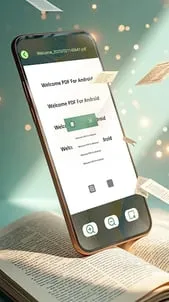
A floating-window mode can keep a document visible while another app is open, which is useful for instructions, forms, or study notes.

The Google Play page is no longer available, so this should be treated as an archived app rather than a maintained recommendation.

Core featuresCore features

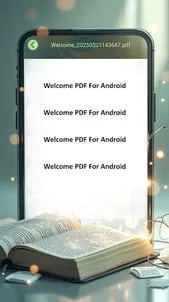
  • Local PDF readingLocal PDF reading: Open PDF files stored on the device without signing in to an online service.
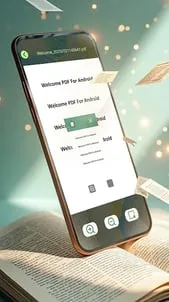
  • Floating windowFloating window: Keep a PDF visible in a movable window while working in another app.
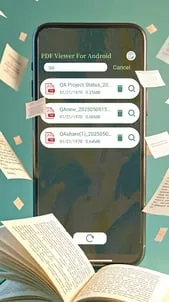
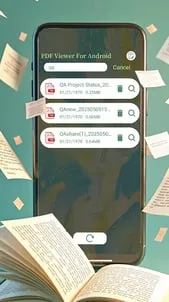
  • Document libraryDocument library: Browse and organize available PDF files from a simple reading-focused interface.
  • Large-file loadingLarge-file loading: The archived product description specifically promotes quick opening of larger PDF documents.

Pros and consPros and cons

ProsPros

  • The interface stays focused on opening and reading PDFs.
  • Floating-window reading is useful when following instructions in another app.
  • Local documents do not need to be uploaded to a cloud account.

ConsCons

  • The Google Play listing is no longer available.
  • The documented feature set does not include annotation, form editing, or PDF conversion.
  • Archived package analysis identified advertising libraries, so it should not be treated as an ad-free reader.

Who this app is for

  • People who only need to open local PDF files.
  • Users who want to keep a reference document visible beside another app.
  • Anyone evaluating an already installed copy of this archived reader.

Before you download

  • The linked Google Play page is unavailable; do not install an APK from an unknown mirror.
  • Choose a maintained PDF reader for current security updates, annotations, or form editing.
  • Back up important local documents before replacing an existing installation.

Frequently asked questions

What does PDF Viewer For Android do?

It opens and organizes PDF files stored on an Android device.

Does it have a floating-window mode?

Yes. The archived product description lists floating-window reading as a core feature.

Is it still available on Google Play?

No. The package's Google Play URL currently returns a not-found page.

Can it edit or annotate PDFs?

Those tools are not documented; the available description presents it as a reader and file organizer.

Screenshots

PDF Viewer For Android screenshot 1PDF Viewer For Android screenshot 2PDF Viewer For Android screenshot 3PDF Viewer For Android screenshot 4PDF Viewer For Android screenshot 5

Similar app comparison

AppRatingCore featurePricingSupported platforms
PDF Viewer For Android★ 4.2Local PDF readingFreeAndroid
Chat AI - AI Chatbot Assistant★ 4.5Natural chatFreemiumAndroid
Google Gemini★ 4.6Gemini LiveFree; optional Google AI planAndroid
8.3/ 10

App review

A basic reader with a useful floating window, but its missing store page and limited feature record make it difficult to recommend today.

Keep it only if an existing installation meets a simple reading need; install a maintained PDF app for new devices.

Toolonline Editorial · 2026-07-23

Local PDF reading8.6/10
Floating window8.3/10
Document library8.1/10
Large-file loading8.4/10

You May Also Like

Related Apps

User reviews

How people use PDF Viewer For Android in everyday life

3.2
3.2 out of 53.2 out of 53.2 out of 53.2 out of 53.2 out of 5

6 reviews

Brian Carter

2.5 out of 52.5 out of 52.5 out of 52.5 out of 52.5 out of 5

It sounds fine for opening local PDFs, but the archived status makes me cautious. A reader that handles larger files quickly is useful, yet I care more about current security updates on a phone. For basic offline reading it may be enough if already installed.

Emily Carter

3.5 out of 53.5 out of 53.5 out of 53.5 out of 53.5 out of 5

It opens downloaded manuals quickly and remembers where I stopped reading. I missed highlighting and note tools, so I would only use it for documents I do not need to mark up.

Mira Johnson

3.5 out of 53.5 out of 53.5 out of 53.5 out of 53.5 out of 5

I like focused apps that just read documents without cloud sign-in, and this one fits that idea. The document library and large-file loading notes cover my usual needs. Still, I would choose a maintained reader if I needed annotations, form editing, or reliable availability from the store.

Alan Williams

3.0 out of 53.0 out of 53.0 out of 53.0 out of 53.0 out of 5

As a local PDF reader, it does the basic job: open files on the phone and keep them in a simple library. I like that it does not require an account for reading stored documents. The missing editing and annotation tools make it feel limited if you work with forms or marked-up drafts.

George Wilson

2.5 out of 52.5 out of 52.5 out of 52.5 out of 52.5 out of 5

Opens PDFs quickly and does not ask me to sign in.

Tessa Lewis

4.0 out of 54.0 out of 54.0 out of 54.0 out of 54.0 out of 5

Good reader, but I really miss highlighting.

Write a review Write a review
Your rating
back to top