8 Best Photo & Video Apps in 2026: AI Creation, Scanning, Styling & Compression
Mobile photo and video apps have changed dramatically over the past few years.
A smartphone is no longer limited to taking photos, applying basic filters, and trimming clips. Depending on the app, the same device can now digitize an old family album, turn a selfie into a different hairstyle, generate an entirely new video from a text prompt, animate a still photograph, or compress a large video before sending it through email or a messaging app.
The challenge is no longer finding an app that can edit media.
It is choosing the right specialized tool for the job.
A generative video platform such as PixVerse solves a completely different problem from Photomyne. Likewise, an AI hairstyle preview app should not be judged by the same criteria as a video compressor.
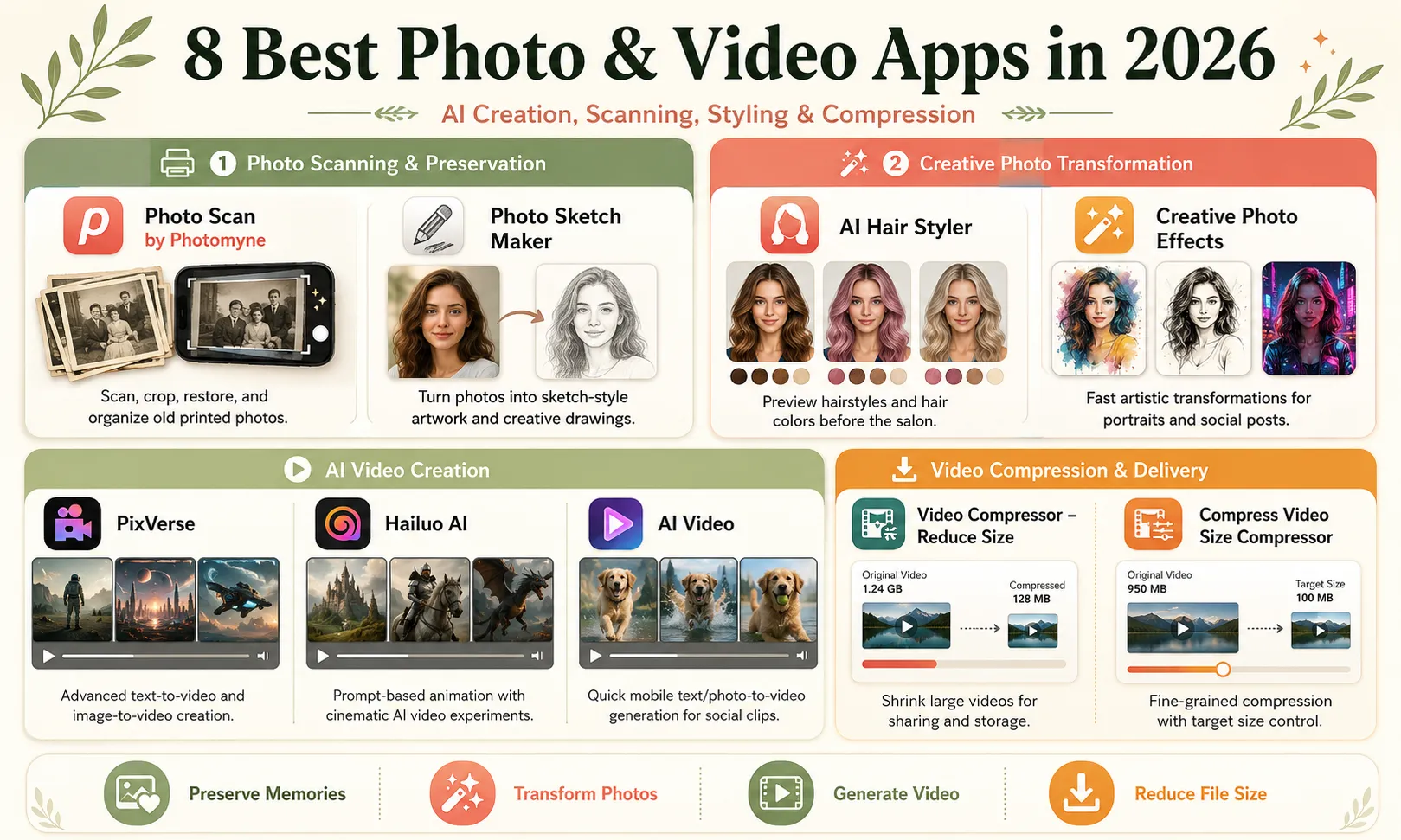
For this guide, we looked at eight photo and video utilities across four practical categories:
-
photo scanning and preservation;
-
creative photo transformation;
-
AI video generation;
-
video compression and delivery.
Rather than inventing speed benchmarks or claiming that every tool was tested for months, this comparison focuses on their current feature sets, practical use cases, limitations, and the type of user each app makes the most sense for.
Quick Comparison: The 8 Apps
| App | Main Purpose | Best For |
|---|---|---|
| Photo Scan by Photomyne | Scan and restore printed photos | Family archives and old photo collections |
| Photo Sketch Maker | Turn photos into sketch-style artwork | Casual creators and artistic social images |
| AI Hair Styler | Preview hairstyles and hair colors | Virtual hairstyle experimentation |
| PixVerse | AI text-to-video and image-to-video generation | Advanced AI video creators |
| Hailuo AI | Prompt-based text and image animation | Cinematic AI video experimentation |
| AI Video | Mobile text/photo-to-video generation | Quick social video creation |
| Video Compressor – Reduce Size | Reduce large video files | Sharing and phone-storage management |
| Compress Video Size Compressor | Fine-grained video compression | Users who need target sizes and codec control |
There is no universal winner here because these apps solve fundamentally different problems.
The better question is:
What part of your visual workflow is slowing you down?
1. Photo Scan by Photomyne: Best for Digitizing Old Photo Albums
Most people have hundreds of old photographs that technically exist but are effectively inaccessible.
They sit inside albums, boxes, drawers, or envelopes.
Scanning them one by one with a flatbed scanner can work, but it quickly becomes tedious when the collection contains hundreds or thousands of pictures.
Photomyne is designed specifically around that problem.
Its current photo-scanning tools can automatically detect and crop photographs, rotate them, correct perspective, restore color, sharpen images, and organize scans into digital albums. Photomyne also supports scanning multiple types of physical media through its broader scanning suite.
Why Photomyne Is Different From Simply Using Your Camera
Take a normal phone photo of an album page and you usually still have work to do.
You may need to:
crop the picture;
straighten it;
correct perspective;
adjust faded colors;
separate several photos captured in the same frame.
Photomyne automates much of that repetitive work.
Its official feature set includes auto detection and cropping, auto rotation, perspective correction, color restoration, sharpening, black-and-white colorization, and album organization.
That is much more useful than describing it vaguely as an “AI photo app.”
Its real value is workflow efficiency.
Best use case
Imagine you inherit six physical photo albums containing family pictures from the 1970s through the 1990s.
The goal is not creating an artistic effect.
The goal is preserving the photographs before they deteriorate or disappear.
That is where Photomyne makes sense.
What to watch for
Automatic restoration should not be confused with historical accuracy.
Colorization and sharpening can make old images easier to view, but software may infer details that were not present in the original.
For important archival material, keep the original scan in addition to any enhanced version.
2. Photo Sketch Maker: Best for Fast Artistic Transformations
Not every creative tool needs a complicated generative model.
Sometimes you simply want to take an existing photograph and turn it into something visually different.
A photo-to-sketch app can be useful for:
-
social profile images;
-
poster concepts;
-
simple illustrations;
-
reference drawings;
-
greeting cards;
-
creative posts.
The current Photo Sketch Maker: Drawing app, for example, supports converting images into pencil-style sketches and also includes drawing and AR-assisted features. Its App Store listing describes more than 150 artwork options as well as on-device drawing workflows.
Where Sketch Apps Are Useful
The important question is not whether the output can replace a professional illustrator.
Usually, it cannot.
The value is speed.
Suppose you need a hand-drawn-looking version of a portrait for a social graphic.
Opening Photoshop, selecting the right effect stack, controlling edges, adjusting contrast, and refining textures might take much longer than applying an existing style inside a dedicated mobile app.
That is the niche these apps occupy.
Do Not Overstate the “AI”
One thing I would avoid in an article is saying:
“Its AI understands depth, lighting and facial geometry.”
Unless the developer specifically documents that technology, it is unnecessary speculation.
For readers, the useful fact is simpler:
It converts photographs into several sketch and drawing styles.
That is enough.
3. AI Hair Styler: Best for Previewing a New Look Before the Salon
Generative image tools are particularly useful when the goal is visualization rather than final content creation.
Hair is a good example.
People often wonder:
What would I look like with short hair?
Would blonde work?
What about waves?
Would bangs suit my face?
An AI hairstyle application can generate a rough preview before someone makes a permanent change.
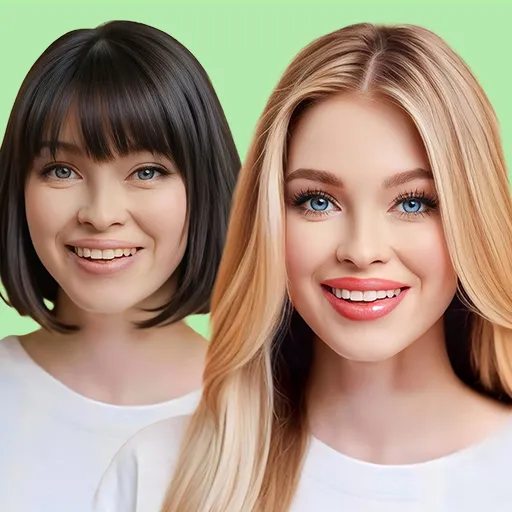
The current AI Hair Styler: Hair Try-On app lets users upload a selfie, experiment with different hairstyles and colors, select custom colors, and export results in social-friendly formats. Its listing also recommends using a clear, front-facing image for more reliable results.
Where This Type of App Is Useful
Its strongest use case is not professional photo editing.
It is decision support.
A user can compare:
short vs. long
straight vs. curly
natural vs. bold color
before visiting a salon.
That makes the app closer to a virtual fitting room than a traditional photo editor.
Important Limitation
AI hairstyle previews should be treated as approximations.
Real hair texture, density, face shape, salon technique, lighting, and styling products will affect the final appearance.
So the result is useful for exploring ideas, not predicting an exact salon outcome.
4. PixVerse: Best for Advanced AI Video Creation
The biggest shift in mobile visual tools is happening in video generation.
Instead of recording footage first and editing it afterward, generative video systems allow creators to begin with:
text
or:
an image
and generate motion from that input.
PixVerse is one of the more comprehensive platforms in this category.
Its current product supports text-to-video, image-to-video, templates, lip sync, character consistency, AI-assisted creation, marketing workflows, and more advanced canvas-based production. The platform's current PixVerse models also emphasize areas such as cinematic control, physics simulation, high-fidelity portraits, and motion-oriented generation.
Why Image-to-Video Is Particularly Interesting
Consider a product photographer.
You already have a high-quality image of a perfume bottle sitting on a reflective table.
Traditionally, creating a short cinematic video might require:
-
another shoot;
-
a camera movement system;
-
lighting;
-
editing;
-
motion graphics.
An image-to-video model offers another workflow:
product photo → describe desired motion → generate a short clip
For example:
“Slow camera orbit around the bottle while soft light passes across the glass.”
The result will not always be physically perfect, but it dramatically lowers the cost of experimenting with visual concepts.
Character Consistency Matters
One common weakness of generative video is identity drift.
A character may look correct in the opening frame and subtly change several seconds later.
PixVerse explicitly includes character-consistency functionality in its current product stack.
That does not mean every result will be perfect.
It means the platform is specifically addressing a problem that matters when generating multiple shots involving the same subject.
PixVerse is best for:
Creators who want more than a novelty animation and expect to experiment with multiple AI video workflows inside one platform.
5. Hailuo AI: Best for Prompt-Driven Creative Experimentation
Hailuo AI is another important generative video option.
Its current tools include both text-to-video and image-to-video generation.
For text-to-video, users describe a scene and Hailuo generates a short clip without requiring a traditional editing timeline. Its official tool page positions this workflow around social content, advertisements, storytelling, and quick visual experimentation.
Its image-to-video workflow allows users to upload a still image and describe the motion they want, including camera movements such as zooms, pans, and other prompt-controlled animation.
Hailuo vs. PixVerse
I would not write:
“Hailuo produces better atmosphere, but PixVerse has better coherence.”
Unless you have actually generated the same controlled test multiple times and retained the results.
A safer and more useful distinction is based on workflow.
PixVerse currently presents itself as a broad full-stack video generation platform with tools extending into characters, marketing, lip sync, APIs, and structured workflows.
Hailuo offers a very direct prompt-first experience for generating and animating short scenes.
So creators should test both with their own subject matter.
The “best” model for an animated product image may not be the best one for a fantasy landscape or human portrait.
6. AI Video: Best for Simple Mobile AI Video Generation
Not every user wants an advanced AI filmmaking environment.
Sometimes the requirement is:
Upload a photo, describe something, and get a short social video.
The AI Video – AI Video Generator app by HUBX is designed around that simpler mobile workflow.
Its current App Store listing supports:
-
text-to-video;
-
photo-to-video;
-
AI animations;
-
lip-sync;
-
voiceovers;
-
short-form social outputs;
-
HD exports.
It is currently positioned for content aimed at platforms such as TikTok, Instagram Reels, and YouTube Shorts.
Why Use a Mobile-First Generator?
Dedicated platforms such as PixVerse can provide broader creative systems.
A mobile app can still be valuable because of convenience.
Imagine you are creating an Instagram Story and want to animate one photo.
You may not want to open a desktop workflow, create a new project, configure advanced settings, and manage a production pipeline.
A mobile generator minimizes steps.
That is its advantage.
Check the Credit Model Before Committing
Generative video can be computationally expensive.
Many apps therefore use:
-
subscriptions;
-
credits;
-
generation limits;
-
paid exports.
Before subscribing to any AI video app, generate enough samples to understand how frequently you need to regenerate a clip.
The sticker price matters less than the effective cost per usable result.
7. Video Compressor – Reduce Size: Best for Quickly Shrinking Files
AI generation receives most of the attention.
But one of the least glamorous tools in a creator workflow can also be one of the most useful:
a video compressor.
Raw and high-resolution video files become very large very quickly.
That creates problems when:
-
emailing footage;
-
sending clips through messaging apps;
-
saving phone storage;
-
uploading on a slow connection;
-
meeting platform file-size limits.
The Android app Video Compressor – Reduce Size currently provides quality presets as well as custom resolution and specific target-size controls. Its Google Play listing also says processing can be performed offline and without adding a watermark.
Compression Always Has a Trade-Off
I would remove the original claim:
“Reduced a 2GB video by 90% while maintaining crisp 1080p quality.”
Unless that exact test was performed and documented.
There is also a more fundamental issue.
Reducing video size usually means changing some combination of:
-
bitrate;
-
resolution;
-
codec;
-
frame rate;
-
compression efficiency.
A 90% smaller file cannot universally preserve identical visual quality.
The useful question is:
How much quality are you willing to trade for a smaller file?
For sending a quick preview through WhatsApp, heavy compression may be perfectly acceptable.
For a final commercial master file, it may not be.
8. Compress Video Size Compressor: Best for More Precise Compression Control
For users who want more control over compression, Compress Video Size Compressor by Inverse AI offers a more technical feature set.
Its current Google Play listing includes:
-
manual target file size;
-
multiple compression presets;
-
preview before full compression;
-
batch processing;
-
X264 and X265/HEVC codec choices;
-
multiple supported video formats.
This makes it particularly useful when “make it smaller” is not specific enough.
Why Target File Size Matters
Suppose an upload must be under 25 MB.
A generic “medium quality” button does not guarantee that.
A target-size option is more useful because the constraint is known in advance.
Similarly, codec selection can matter.
HEVC/H.265 can often produce smaller files at comparable perceived quality than older H.264 settings, but compatibility and encoding time may differ.
That makes this type of app more appropriate for users who understand—or are willing to learn—basic compression settings.
Which App Should You Use?
Instead of trying to decide which of these eight apps is “best,” start with the problem.
| If your problem is… | Start with… |
|---|---|
| Hundreds of old printed photographs | Photomyne |
| Turning a normal photo into a sketch | Photo Sketch Maker |
| Previewing hairstyles or hair colors | AI Hair Styler |
| Creating sophisticated AI video | PixVerse |
| Experimenting quickly with text/image animation | Hailuo AI |
| Generating short AI videos primarily on an iPhone | AI Video |
| Quickly reducing large video files | Video Compressor – Reduce Size |
| Reaching a specific size or adjusting codecs | Compress Video Size Compressor |
That is a much more useful way to build a mobile creator toolkit.
A Practical Mobile Visual Workflow
A creator might realistically use several of these categories in one project.
For example:
Step 1: Create the source
Take a product photograph or generate the visual concept.
Step 2: Generate motion
Use PixVerse, Hailuo AI, or another video generator to animate the asset.
Step 3: Edit
Trim the clip, add music, captions, or overlays using your preferred editor.
Step 4: Compress
If the final export is too large, use a dedicated compressor to create the delivery version.
Step 5: Archive
Keep the original high-quality file separately.
This last step is important.
Do not repeatedly compress the same compressed file.
Keep a master version and create smaller copies for distribution.
Three Things to Check Before Installing Any Photo or Video App
1. Privacy
Photo applications often require access to some of your most personal files.
Before uploading family photos, children's images, identification documents, or private videos, review:
-
whether processing happens locally or in the cloud;
-
what files are uploaded;
-
whether uploaded media is retained;
-
whether data can be used for model training;
-
whether you can delete your account and uploaded content.
An impressive AI feature does not automatically make an app appropriate for sensitive images.
2. Subscription and Credit Rules
AI video apps in particular may advertise themselves as free while limiting actual generation through credits or trial allowances.
Check:
How many generations are included?
Do failed generations consume credits?
Is HD export paid?
Does the subscription renew weekly, monthly, or annually?
A cheap-looking weekly subscription can become expensive if forgotten.
3. Export Restrictions
Before building an entire workflow around an app, check whether it adds:
-
watermarks;
-
resolution limits;
-
format restrictions;
-
commercial-use restrictions.
The best creative result is not very useful if you cannot export it in the format you need.
What Makes a Good AI Photo or Video App in 2026?
The feature list is no longer enough.
Almost every AI media product now claims some combination of:
“AI-powered,”
“cinematic,”
“one tap,”
“professional quality,”
or:
“instant.”
Those phrases tell you very little.
A better evaluation asks five questions:
Does it solve a real problem faster?
Can I control the output?
Can I export what I create?
Can I understand what it costs?
Would I trust it with the files I plan to upload?
Those questions remain useful even when the underlying AI models change.
Final Verdict
The most useful mobile creator setup in 2026 is not necessarily one enormous application that attempts to do everything.
Specialized apps can often solve individual problems more efficiently.
Photomyne is compelling when the goal is preserving physical photographs rather than creating something new.
Photo Sketch Maker and AI Hair Styler are lightweight transformation tools for specific visual tasks.
PixVerse and Hailuo AI represent the rapidly expanding world of generative video, where text and still images can become moving scenes.
AI Video offers a simpler mobile-first route into the same category.
And the two video compressors solve a completely different but essential problem: making finished media practical to store and distribute.
The key is not downloading all eight.
It is identifying the bottleneck in your workflow and choosing the smallest tool that reliably removes it.
A creator who only needs to send a large video does not need generative AI.
Someone trying to animate a product photograph does not need a photo scanner.
And someone preserving a family album probably cares far more about faithful scans than cinematic effects.
The best app is the one designed for the job you actually need to complete.
Frequently Asked Questions
What is the best AI video app in this list?
For a broader AI video creation environment, PixVerse currently offers text- and image-to-video generation alongside character, lip-sync, marketing, workflow, and other production tools.
Hailuo AI is another strong option for prompt-driven text-to-video and image animation.
Because generative models change rapidly, it is worth testing the same prompt and reference image in multiple services before paying for a long subscription.
Can Photomyne scan several old photos?
Photomyne is specifically designed for high-volume photo digitization and includes automatic photo detection, cropping, rotation, perspective correction, and enhancement tools.
Can PixVerse turn a photo into a video?
Yes. PixVerse's current platform explicitly supports both text-to-video and image-to-video generation.
Can Hailuo AI animate a photo?
Yes. Hailuo's image-to-video tool allows users to upload an image and control motion through prompts, including camera motion and subject animation.
Which app is better for exact video file sizes?
Compress Video Size Compressor supports manually entering a target size and provides codec and compression controls, making it more appropriate when you have a strict upload limit.
Does video compression reduce quality?
Usually, yes to some degree.
Compression works by reducing the amount of data required to represent the video. Efficient codecs can make that quality loss difficult to notice, but claims such as “90% smaller with zero quality loss” should be treated cautiously.
Should I upload private photos to AI apps?
Only after reviewing the developer's privacy policy and understanding whether processing occurs locally or on remote servers.
For highly sensitive material, local/offline processing is generally preferable.