










Your review


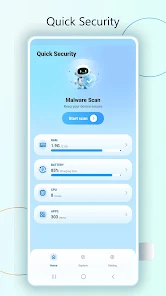
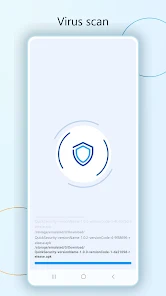
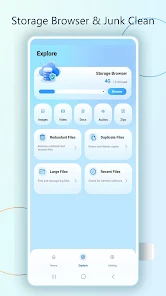
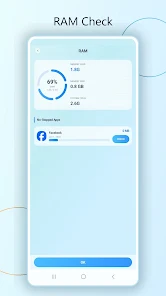
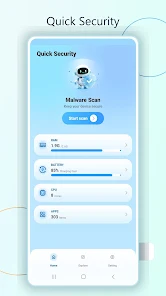
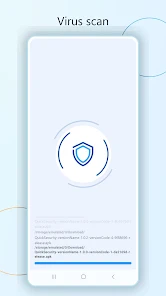
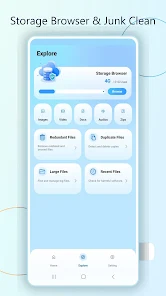
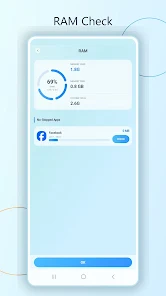
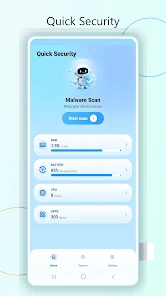
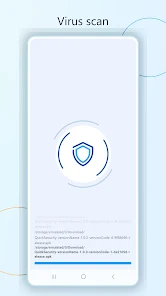
Quick Security brings essential phone scan and storage tools into a clean, easy-to-read dashboard. Open the app to start a virus scan, check scan progress, review storage categories, and view RAM information without digging through complicated menus. The Virus scan screen helps you start a scan and follow APK scan progress with a clear visual status view. It is designed for users who want a simple way to review app and downloaded file scan information from one focused screen. The Storage Browser gives you a quick look at internal storage use and file categories such as Images, Video, Docs, Audios, and Zips. You can also review cleanup-related sections including Redundant Files, Duplicate Files, Large Files, and Recent Files, making it easier to find what may need attention. Quick Security also includes RAM Check, showing memory used, memory free, and system total in a simple visual layout. The home dashboard brings together RAM, battery, CPU, and app status cards so you can quickly understand key device information at a glance. With its light blue interface, clear scan button, storage shortcuts, and organized device status screens, Quick Security is made for users who want a straightforward utility app for everyday phone review. No crowded menus, no confusing setup, just scan, browse, check, and manage from one clean place.
Tools
1.11.0
Check Google Play
Check the Google Play disclosure
Check the Google Play disclosure
5.0/5
Quick Security brings essential phone scan and storage tools into a clean, easy-to-read dashboard. Open the app to start a virus scan, check scan progress, review storage categories, and view RAM information without digging through complicated menus. The Virus scan screen helps you start a scan and follow APK scan progress with a clear visual status view. It is designed for users who want a simple way to review app and downloaded file scan information from one focused screen. The Storage Browser gives you a quick look at internal storage use and file categories such as Images, Video, Docs, Audios, and Zips. You can also review cleanup-related sections including Redundant Files, Duplicate Files, Large Files, and Recent Files, making it easier to find what may need attention. Quick Security also includes RAM Check, showing memory used, memory free, and system total in a simple visual layout. The home dashboard brings together RAM, battery, CPU, and app status cards so you can quickly understand key device information at a glance. With its light blue interface, clear scan button, storage shortcuts, and organized device status screens, Quick Security is made for users who want a straightforward utility app for everyday phone review. No crowded menus, no confusing setup, just scan, browse, check, and manage from one clean place.
How people use Quick Security - Virus Cleaner in everyday life
0 reviews
 Write a review