

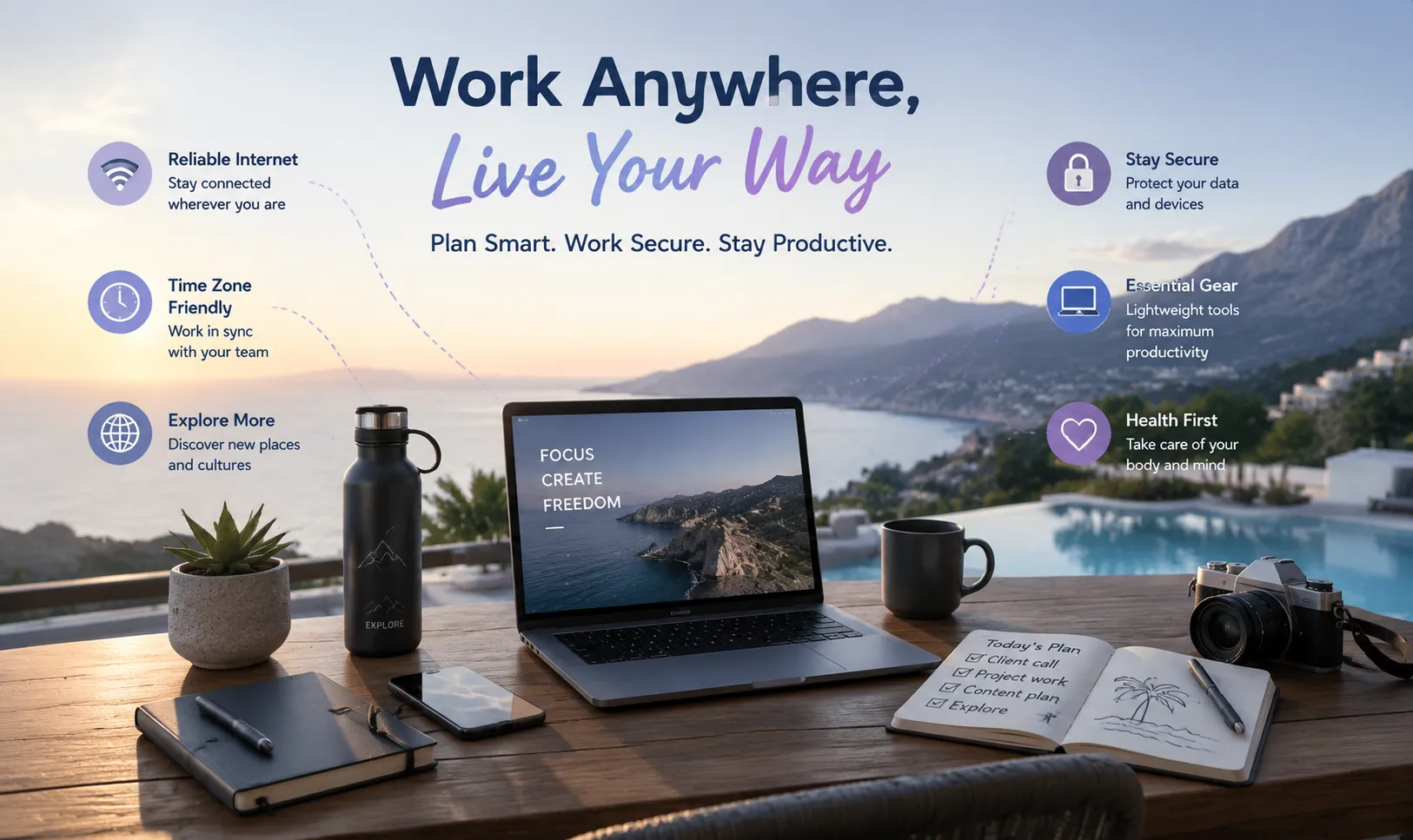
The Digital Nomad Guide for 2026: Gear, Tools, and Workflows for Working From Anywhere
Working from another country can look effortless from the outside: a laptop on a café table, a few hours of focused work, and the rest of the day spent exploring a new city.
In reality, location-independent work requires more preparation than a good laptop and a one-way ticket.
A reliable digital nomad setup must account for unstable internet connections, different time zones, payment problems, local visa rules, device security, health coverage, and the difficulty of staying productive while constantly changing environments.
The goal is not to build the most complicated travel setup. It is to create a system that continues to work when the café Wi-Fi slows down, your charger does not fit the wall socket, a client schedules a call at an inconvenient hour, or your main device suddenly becomes unavailable.
This guide covers the practical foundations of digital nomad life in 2026, including destination planning, essential equipment, secure remote-work habits, and lightweight browser tools that can help you work efficiently without carrying an entire office.
What Makes a Good Digital Nomad Destination?
A popular destination is not automatically a good destination for remote work.
Beautiful scenery and low accommodation prices matter, but they are only part of the decision. A city that works well for a two-week holiday may become frustrating after several months of client calls, deadlines, and administrative tasks.
Before choosing a destination, consider five areas.
Internet reliability
Do not look only at the advertised connection speed.
A fast connection is not useful when it disconnects regularly, becomes slow during the evening, or is shared by an entire apartment building. Ask hosts about the actual connection type and recent speed-test results. Reviews from remote workers are often more useful than a general claim of “high-speed Wi-Fi.”
A nearby coworking space can provide an important backup, even when you prefer working from an apartment.
Time-zone compatibility
A destination may be affordable and comfortable but still create an exhausting schedule.
For example, working with North American clients from Southeast Asia may require early-morning or late-evening calls. European locations may offer more convenient overlap for clients based in both Europe and the Americas.
Before booking a long stay, place your normal meetings on a local-time calendar. A schedule that looks manageable for one week may become difficult after several months.
Visa and work rules
Tourist access and permission to work remotely are not always the same thing.
Some countries offer specific remote-work or digital nomad visas. Others allow longer stays under different residence categories. Requirements may include minimum income, health insurance, employment evidence, background checks, or proof of accommodation.
Rules change regularly. Always verify the current requirements through official government or consular sources before making travel plans.
Cost beyond rent
Accommodation is only one part of the monthly budget.
Also consider:
-
Coworking fees
-
Local transport
-
Health insurance
-
Mobile data
-
Banking and ATM charges
-
Visa costs
-
Electricity or utility fees
-
Deposits
-
Flights between destinations
-
Tax and accounting support
A location with cheap rent can still become expensive when imported products, transport, or short-term accommodation costs are high.
Daily quality of life
The best destination is one where you can maintain a normal routine.
Look at walkability, noise, air quality, healthcare access, food options, safety, weather, and the availability of comfortable places to work. A strong remote-work community can also help, but it should not be the only reason to choose a location.
Popular Regions for Remote Workers
The right region depends on your budget, clients, preferred climate, and working hours.
Southeast Asia
Cities such as Chiang Mai, Da Nang, and parts of Bali continue to attract remote workers because of relatively affordable daily costs, large international communities, and widespread coworking options.
The advantages often include warm weather, inexpensive local food, and convenient short-term accommodation.
The main challenges can include seasonal air pollution, heavy rain, traffic, visa limitations, and difficult time-zone overlap with North American clients.
Southern and Eastern Europe
Cities such as Lisbon, Valencia, Bansko, and Tbilisi appeal to remote professionals who want access to European infrastructure, walkable neighborhoods, and a mix of urban life and outdoor activities.
Costs vary significantly, especially in cities that have become popular with international residents. Accommodation may be much more expensive during peak travel seasons.
Visa, residency, and Schengen-area rules should be checked carefully before planning a long stay.
Latin America
Mexico City, Medellín, Buenos Aires, and other major cities can provide favorable working-hour overlap for teams based in the United States and Canada.
Many destinations offer active creative and technology communities, strong food cultures, and a wide range of accommodation.
However, safety, neighborhood selection, local banking, inflation, transport, and reliable internet can differ considerably within the same city.
Staying closer to home
The digital nomad lifestyle does not require moving to the other side of the world.
Working from another city or neighboring country can provide many of the same benefits with fewer visa, language, insurance, and time-zone complications.
For first-time nomads, a one- or two-month trial closer to home is often more useful than immediately committing to a long-distance trip.
Build a Small but Reliable Hardware Setup
Every item in a nomad bag should solve a repeated problem.
Carrying too much equipment creates weight and replacement costs. Carrying too little can leave you dependent on finding specialized accessories in an unfamiliar city.
A practical setup should be portable, replaceable, and simple enough to pack quickly.
A reliable laptop
Choose the laptop that supports your actual work, not the one with the most impressive specifications.
For writing, marketing, research, and general business tasks, battery life and low weight may matter more than maximum processing power.
Developers, designers, video editors, and engineers may need more memory, storage, ports, or cooling performance.
Before traveling, check:
-
Battery condition
-
Charger availability
-
Repair options
-
International warranty coverage
-
Storage capacity
-
Required ports
-
Compatibility with external displays
-
Whether important work can continue on a backup device
A repairable laptop may be attractive for long-term ownership, while a widely available model can be easier to service internationally.
A compact GaN charger
A multi-port GaN charger can replace several separate power adapters.
A good travel charger may power a laptop, phone, headphones, and power bank from one wall socket. Check the maximum output of each port, because the total advertised wattage may be divided when several devices are connected.
Use certified cables that support the required charging speed.
A universal travel adapter
A travel adapter changes the physical plug shape. It does not necessarily convert voltage.
Most modern laptop and phone chargers support a wide input-voltage range, but always check the label before connecting a device.
Avoid low-quality adapters with loose sockets, weak internal contacts, or unclear safety certification.
A power bank
A suitable power bank can keep a phone running during navigation, provide backup internet through a hotspot, or extend laptop use during transport.
Check:
-
Capacity
-
USB-C Power Delivery support
-
Maximum single-port output
-
Weight
-
Charging time
-
Airline restrictions
Power banks usually need to remain in cabin baggage rather than checked luggage.
Hardware security keys
A physical FIDO2-compatible security key can help protect important accounts against common phishing attacks.
Register at least two keys when possible:
-
One primary key carried securely
-
One backup stored separately
Also keep recovery codes in a protected location. A security key should strengthen your account access, not create a single point of failure.
Headphones and call equipment
A good microphone is often more important than expensive headphones.
For regular client calls, look for:
-
Clear voice pickup
-
Reliable Bluetooth or wired connection
-
Comfortable fit
-
Useful noise isolation
-
A compact case
-
The ability to connect to more than one device
Software noise cancellation can help, but it cannot make a loud public space suitable for confidential conversations.
Optional portable monitor
A portable monitor can improve productivity for coding, editing, finance, and design work.
It also adds weight, another fragile screen, more cables, and additional power consumption. Carry one only when the second screen provides a meaningful improvement to your work.
Never Depend on One Internet Connection
A digital nomad should assume that the main connection will eventually fail.
The solution is not to search for a perfect network. It is to build redundancy.
A basic connection plan can include:
-
Apartment or hotel Wi-Fi
-
A nearby coworking space
-
Mobile data or eSIM
-
A local physical SIM when staying longer
-
Downloaded files and offline work for temporary outages
Before an important call, test the connection and make sure your phone can provide a hotspot.
Do not wait for a failure to discover that your mobile plan does not support tethering or that your laptop cannot connect properly.
Reduce data use before sending files
Large photos, PDFs, videos, and project archives can consume mobile data quickly.
Before uploading:
-
Resize oversized images.
-
Compress documents when quality allows.
-
Remove unused files from archives.
-
Export videos at an appropriate resolution.
-
Pause automatic cloud backups.
-
Use resumable transfers for large projects.
ToolOnline.ink can be useful for smaller browser-based tasks such as image compression, HEIC conversion, JSON formatting, text comparison, QR-code generation, and Cron-expression checking.
For tools specifically described as client-side, processing is intended to happen inside the browser. Still, review the privacy explanation for the individual tool before using it with confidential material.
Protect Your Work on the Road
Travel changes the threat environment.
You may connect through unfamiliar networks, use devices in public spaces, cross borders with client information, or work from locations where screens and conversations are visible to others.
Good security does not require paranoia. It requires consistent habits.
Use unique passwords
A password manager makes it practical to use a different strong password for every account.
Protect the password manager itself with a strong account password and supported multi-factor authentication.
Enable phishing-resistant authentication
Use hardware security keys or passkeys for important accounts where supported, especially:
-
Primary email
-
Password manager
-
Cloud infrastructure
-
Source-code repositories
-
Domain registrar
-
Banking and financial accounts
-
Business administration tools
SMS authentication is better than no second factor, but it should not be the only protection for high-value accounts when stronger options are available.
Follow company remote-access policies
Use an employer-approved VPN, private-access system, or remote desktop when required.
A VPN can protect traffic and provide access to internal resources, but it does not make malicious websites, unsafe downloads, or stolen credentials harmless.
Lock and encrypt devices
Use full-device encryption, a strong login method, and automatic screen locking.
Do not leave devices unattended in cafés, coworking spaces, airports, or hotel common areas.
Avoid exposing confidential information
A secure connection does not stop the person at the next table from seeing your screen or hearing your conversation.
Use a privacy screen when appropriate, choose a quieter location for confidential calls, and avoid displaying customer records or sensitive dashboards in crowded spaces.
Prepare for theft or loss
Before traveling:
-
Enable device-location features where appropriate.
-
Back up important files.
-
Keep emergency recovery codes.
-
Record device serial numbers.
-
Know how to revoke active sessions.
-
Use remote-lock or remote-wipe features when available.
-
Keep a separate way to access money and communication.
Do not store every recovery method on the same device that may be lost.
Client-Side Tools and Cloud Services Both Have a Place
It is easy to describe local processing as safe and cloud processing as unsafe, but the reality is more nuanced.
A reputable cloud platform may provide strong encryption, access controls, audit logs, backups, and legal agreements. A poorly designed browser tool may still expose data through third-party scripts or unsafe code.
The right option depends on the task.
Client-side tools work well for:
-
Formatting text or JSON
-
Resizing images
-
Basic file conversion
-
Generating QR codes
-
Comparing text
-
Parsing Cron expressions
-
Creating hashes
-
Removing simple metadata
They can reduce uploads and continue working on weaker connections, provided the page and required scripts have already loaded.
Cloud tools are often better for:
-
Team collaboration
-
Large video processing
-
Shared file storage
-
Complex PDF reconstruction
-
AI transcription
-
Advanced image generation
-
Large backups
-
Workflows requiring several users
Before using any service with sensitive data, check:
-
Where processing occurs
-
Whether files are retained
-
Whether third parties are involved
-
Whether content is used for training
-
How deletion works
-
Whether the service is approved by your client or employer
Never paste real passwords, access tokens, API keys, or private encryption keys into a general-purpose online utility.
Use placeholders instead.
Create a Workflow That Survives Travel Days
Travel days are rarely good deep-work days.
Flights are delayed, check-in times change, mobile connections fail, and energy levels drop. A realistic workflow should account for this.
Plan lighter work for transit
Good travel-day tasks include:
-
Reading
-
Organizing notes
-
Reviewing documents
-
Drafting outlines
-
Responding to non-urgent messages
-
Editing offline files
-
Planning the next week
Avoid scheduling important presentations immediately after arrival.
Keep essential work offline
Download before traveling:
-
Current project documents
-
Client contact details
-
Tickets and reservations
-
Maps
-
Password-manager access
-
Required reference files
-
Meeting notes
-
Backup authentication information
Do not assume that airport, train, or hotel Wi-Fi will work when you need it.
Use asynchronous communication
Tell clients and teammates about travel windows in advance.
A simple message can prevent unnecessary confusion:
I will be traveling on August 12 and may respond more slowly between 08:00 and 18:00 UTC. All urgent project files are already shared, and I will review new messages after arrival.
Clear expectations are better than disappearing during the working day.
Manage Time Zones Without Working All Day
One of the easiest nomad mistakes is building a schedule around everyone else’s convenience.
A morning call with Europe, afternoon work with Asia, and evening meeting with North America can turn location independence into a sixteen-hour working day.
Set boundaries early.
Define your normal hours
Tell clients and colleagues when you are generally available.
You do not need to publish every detail of your location. A consistent UTC availability window is often enough.
Group meetings
Place meetings into one or two blocks instead of spreading them throughout the day.
This protects larger periods for focused work or personal time.
Use written updates
Replace routine status meetings with structured written or recorded updates.
Include:
-
What was completed
-
What happens next
-
What is blocked
-
What decision is required
-
When a response is needed
Rotate inconvenient calls
When a team spans several regions, the same person should not always take the late-night meeting.
Rotate inconvenient times where possible.
Banking and Money Management
Remote income across currencies can become expensive when conversion fees, ATM charges, and international card markups accumulate.
A resilient setup may include:
-
A primary bank account
-
A secondary account with a separate card
-
A multi-currency account
-
More than one payment network
-
A small amount of emergency cash
-
Digital copies of important banking contacts
-
Alerts for transactions and withdrawals
Do not keep every card in the same wallet.
Before traveling, check foreign transaction fees, ATM limits, card-replacement procedures, and whether banking apps will work with an international phone number.
Avoid relying on one fintech provider for all income, savings, and daily expenses.
Insurance and Healthcare
Ordinary travel insurance may not cover long-term remote work, expensive equipment, motorbike use, or pre-existing conditions.
Review the policy rather than relying only on the marketing page.
Important areas include:
-
Emergency medical treatment
-
Hospitalization
-
Evacuation
-
Repatriation
-
Trip interruption
-
Stolen electronics
-
Professional equipment
-
Personal liability
-
Activities such as scooters or diving
-
Coverage length
-
Country exclusions
-
Deductibles
Some policies are designed for short holidays, while others are intended for longer international stays.
Keep policy details and emergency contact numbers available offline.
Tax and Legal Responsibilities
Travel does not automatically remove tax obligations.
Tax residence may depend on physical presence, permanent home, income source, business structure, citizenship, and local rules.
The often-mentioned 183-day threshold is not a universal rule and should not be treated as the only test.
Keep records of:
-
Entry and exit dates
-
Accommodation
-
Work locations
-
Invoices
-
Client contracts
-
Business expenses
-
Visa status
-
Tax payments
-
Insurance
When living and working across several countries, professional legal or tax advice may be worth the cost.
Do not base major decisions on social-media posts or another traveler’s personal situation.
A Practical Digital Nomad Packing List
Work equipment
-
Laptop and charger
-
Phone
-
Power bank
-
Travel adapter
-
Certified USB-C cables
-
Headphones or headset
-
Hardware security keys
-
Portable storage or backup method
-
Optional portable monitor
-
Small cable organizer
Connectivity
-
Active mobile plan
-
eSIM or local SIM option
-
Hotspot capability
-
Coworking backup
-
Offline maps
-
Downloaded work files
Security
-
Password manager
-
Multi-factor authentication
-
Device encryption
-
Screen lock
-
Recovery codes
-
Backup key
-
Privacy screen when needed
-
Device-location and remote-lock settings
Administration
-
Passport and visa documents
-
Insurance details
-
Banking backups
-
Emergency contacts
-
Prescription information
-
Copies of important records
-
Entry and exit tracking
Common Digital Nomad Mistakes
Moving too quickly
Changing cities every week creates constant planning, packing, transport, and adjustment.
Longer stays usually provide better routines, more reliable workspaces, and lower accommodation costs.
Choosing a destination based only on price
Low rent cannot compensate for unreliable internet, poor sleep, difficult time zones, or unsafe working conditions.
Carrying too much equipment
Every additional device increases luggage weight, charging needs, theft risk, and replacement cost.
Depending on one bank or connection
Cards are blocked, networks fail, and phone plans expire. Build backups before they are needed.
Ignoring local laws
Visa, work, tax, driving, insurance, and accommodation rules vary. “Other nomads do it” is not a legal strategy.
Working from cafés every day
Cafés are useful occasionally, but they may be noisy, uncomfortable, insecure, and unsuitable for long calls.
A stable apartment workspace or coworking option usually creates a healthier routine.
Treating travel as a permanent holiday
Without routines, work can expand into every part of the day—or be postponed until deadlines become stressful.
Set working hours, rest days, exercise habits, and realistic travel schedules.
Frequently Asked Questions
How much money should I save before becoming a digital nomad?
There is no universal amount.
At minimum, consider maintaining enough money for several months of normal expenses, an emergency flight, medical costs, replacement equipment, accommodation deposits, and periods of reduced income.
The more variable your income is, the larger the buffer should be.
Do I need a digital nomad visa?
It depends on the destination, length of stay, nationality, and type of work.
A tourist visa may not permit remote work, even when the employer or clients are located abroad. Check official immigration guidance for the specific country.
How do I work when the Wi-Fi fails?
Maintain at least one backup connection, such as mobile data, an eSIM, or a nearby coworking space.
Download essential files in advance and keep a list of tasks that can be completed offline.
Are public Wi-Fi networks safe?
They can be used more safely when websites use HTTPS and you follow appropriate security practices, but an unfamiliar network should not be automatically trusted.
Use employer-approved secure access, avoid unexpected certificate warnings, keep devices updated, and do not leave sensitive systems open in public.
Can client-side tools save mobile data?
They can reduce the need to upload and download supported files when processing happens locally.
The page and required scripts still need to load, and not every online tool is client-side. Check the individual tool’s explanation.
Should I carry two laptops?
Most people do not need two full laptops.
A phone, tablet, cloud backup, remote-access option, or plan for local repairs may be enough. Professionals whose income depends on uninterrupted device access may benefit from a lightweight backup.
How long should I stay in one place?
For productive remote work, one to three months often provides more stability than changing locations every few days.
The right pace depends on visas, budget, work intensity, and personal preference.
Conclusion
A sustainable digital nomad lifestyle is built on systems, not scenery.
The destination matters, but reliable work depends on preparation: a stable connection, secure account access, appropriate insurance, financial backups, realistic time-zone planning, and equipment that solves real problems without filling an entire suitcase.
Start gradually.
Spend a month working from another city. Test your mobile-data backup. Learn which devices you genuinely use. Review how travel affects your focus, sleep, finances, and client communication.
Location independence does not mean eliminating responsibility. It means building a workflow strong enough to continue wherever you choose to work.
The best digital nomad setup is not the one that looks most adventurous. It is the one that lets you work reliably, protect your clients, and still enjoy the place you travelled to see.

